Invoices
How to invoice a Serbian company on a computer
From picking the client to an issued invoice with a payment QR code.
Example: an invoice to "Studio Kvadrat doo" in Novi Sad for a catalogue design and print preparation. Tefter adds every note a flat-rate business must include.
-
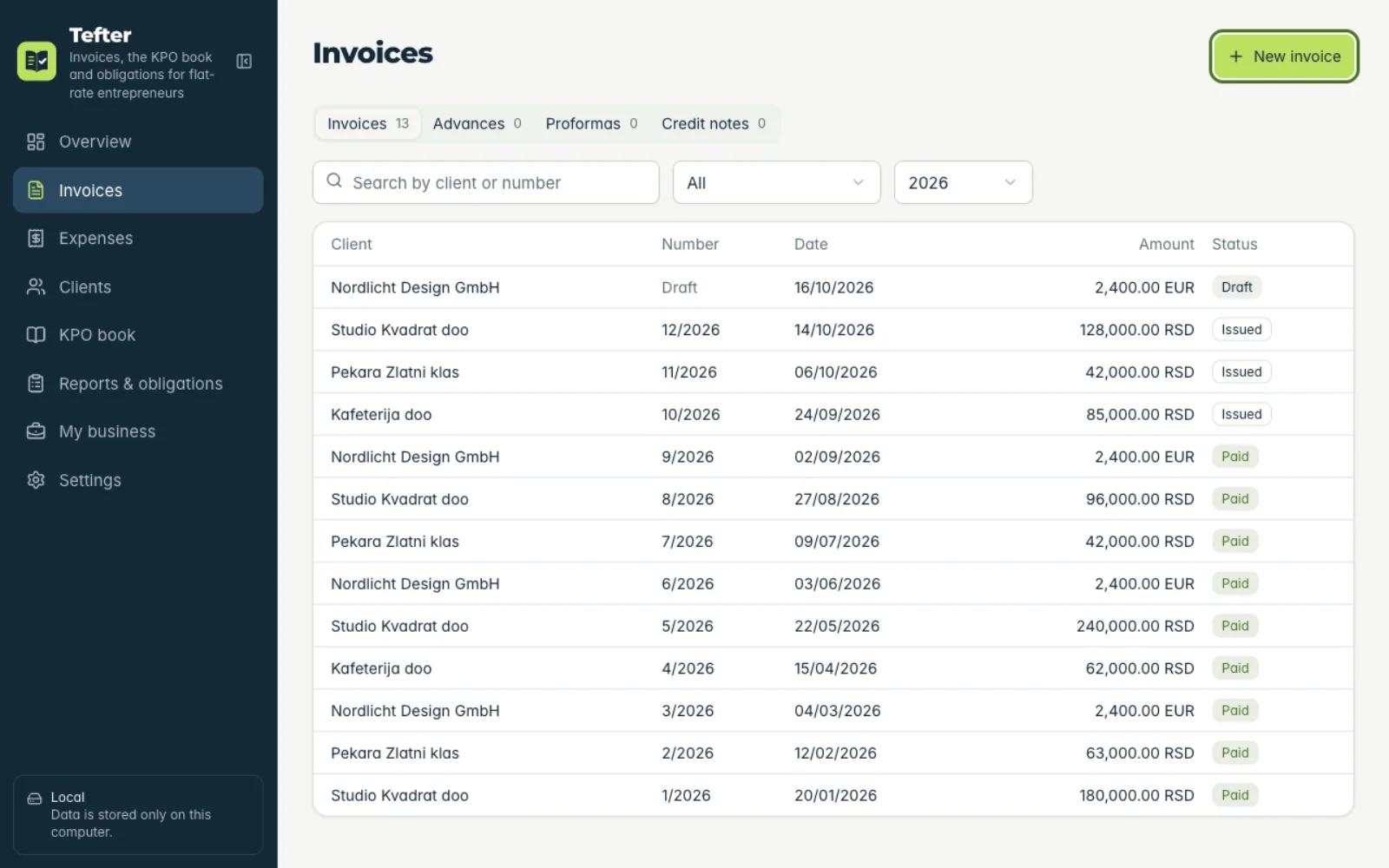
1New invoice
Under “Invoices” click “New invoice”. The same button is on “Overview”.
-
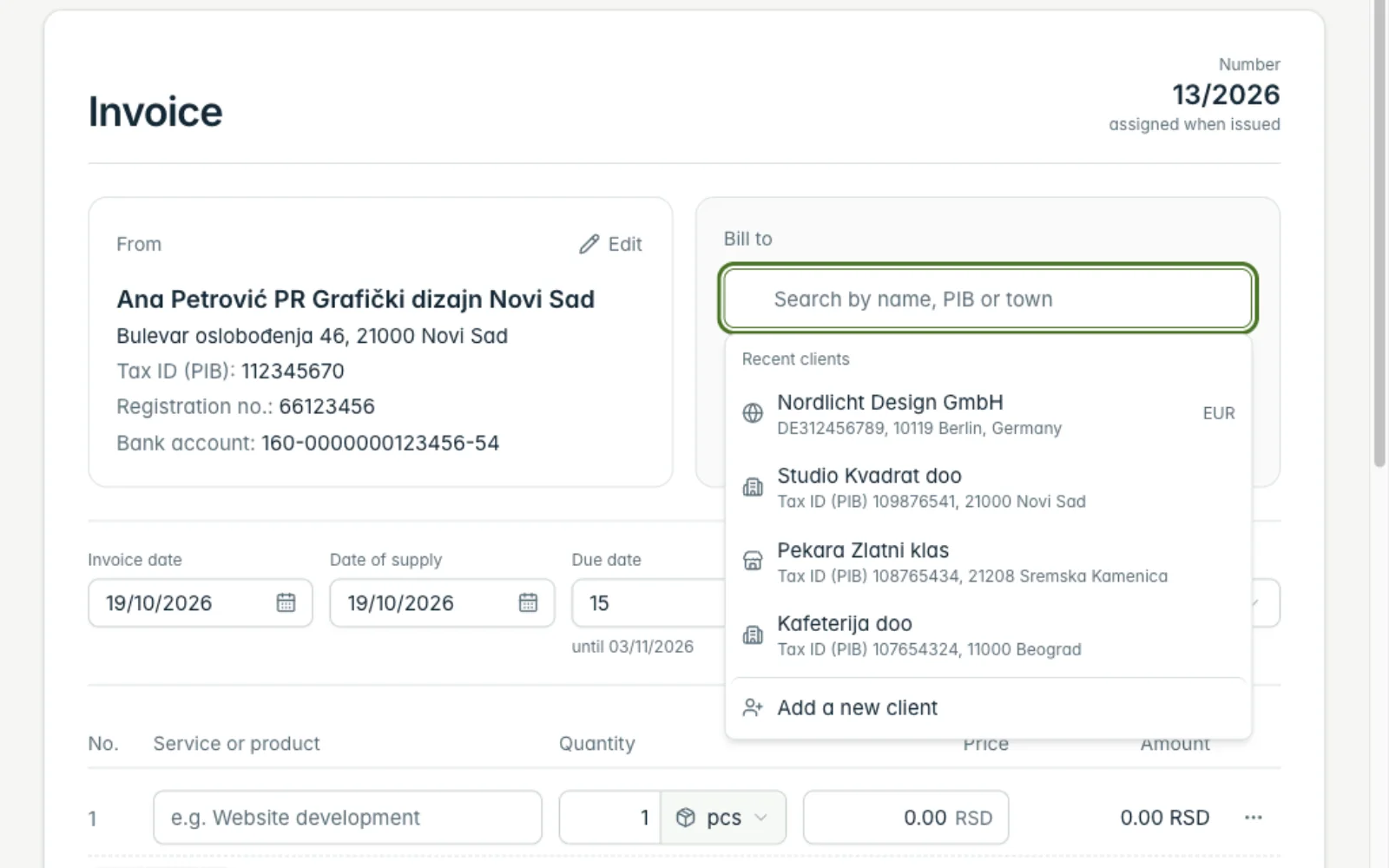
2Pick the client
In “Bill to” type the name or tax number. If the client doesn't exist yet, choose “Add a new client” and add it by tax number.
-
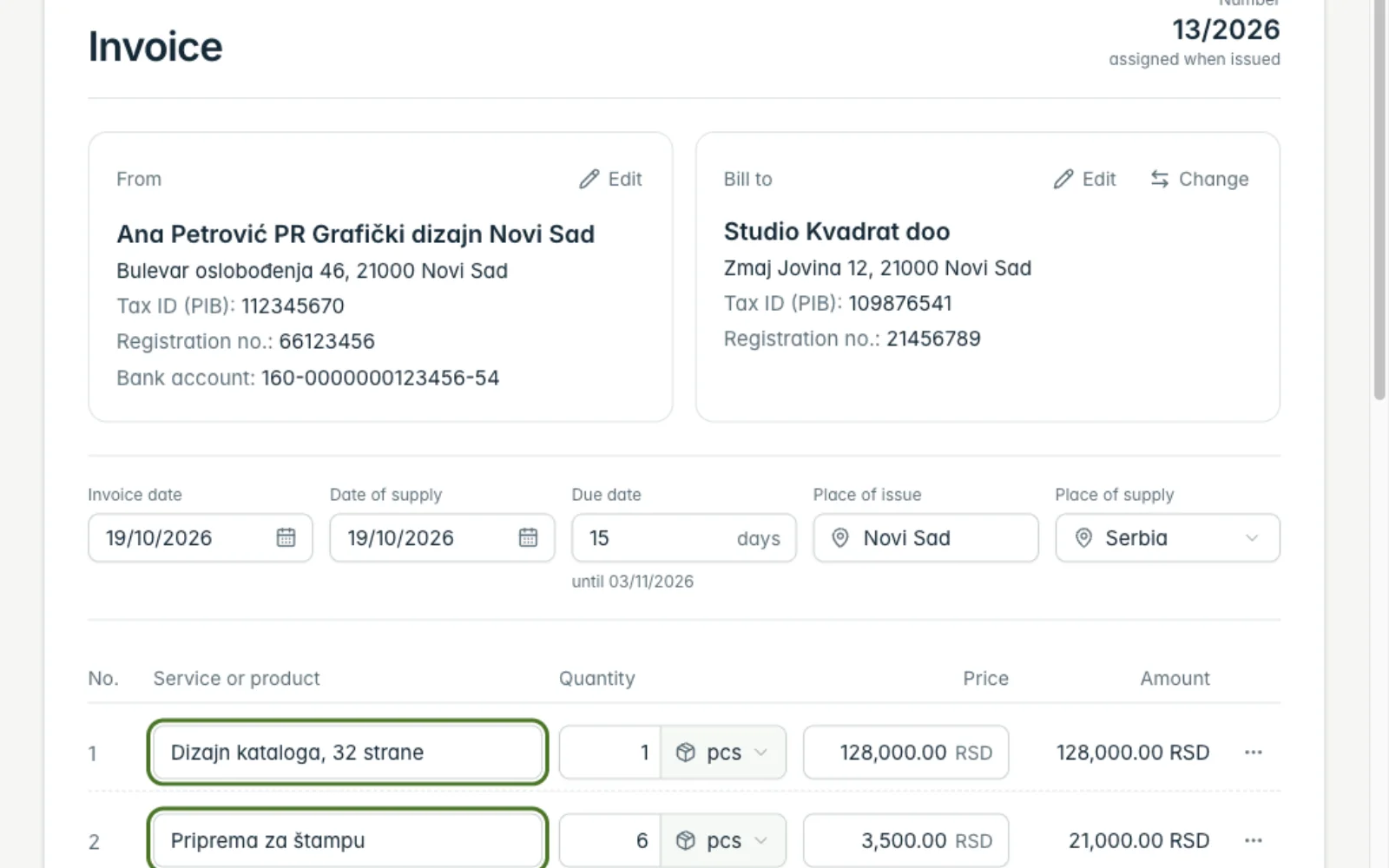
3Add the items
Type the “Service or product”, quantity, unit and price. For another line click “Add item”. Totals calculate themselves.
-
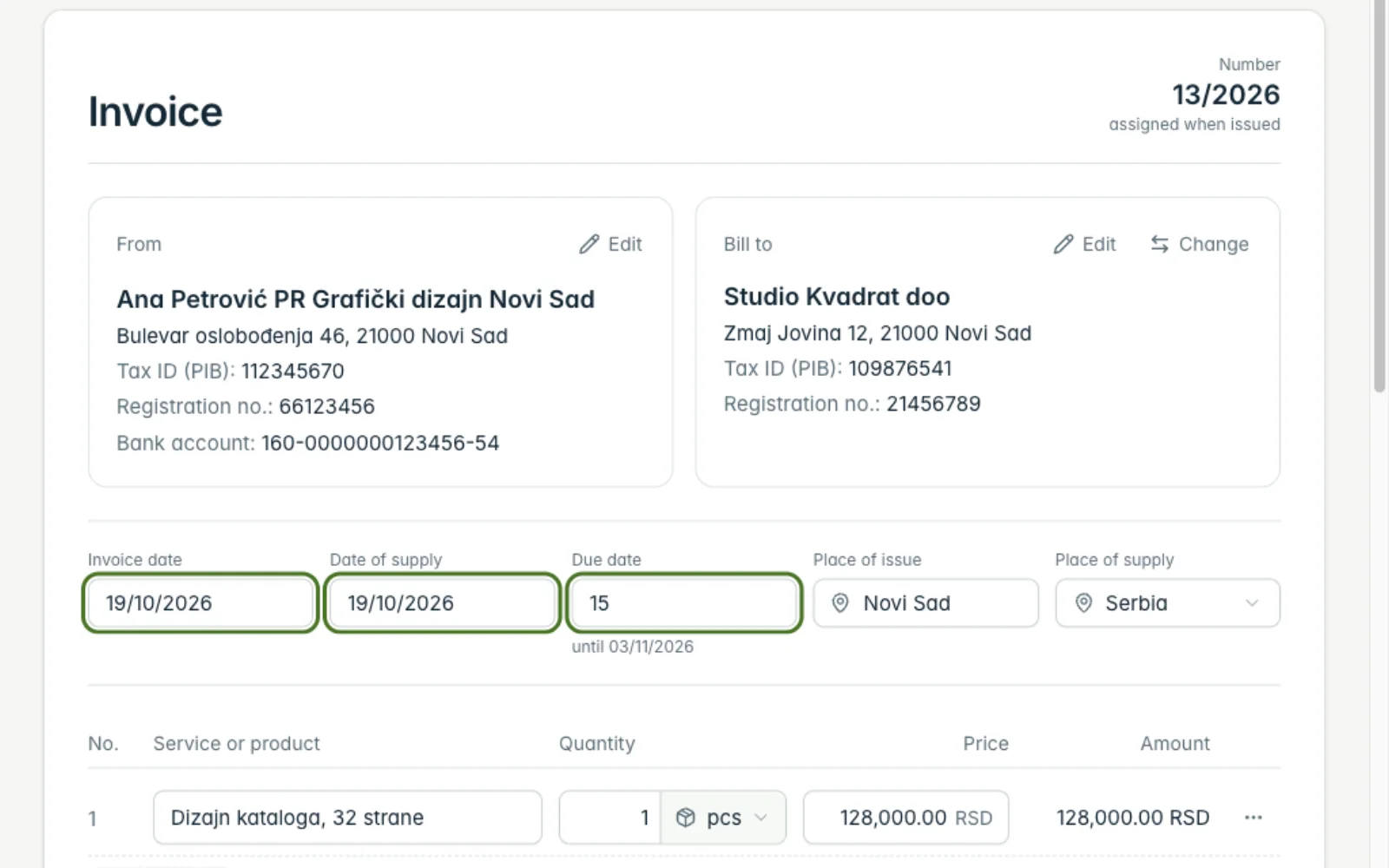
4Check the dates and due date
The “Invoice date” and date of service are today, and the “Due date” follows the client's setting. Change them if needed.
-
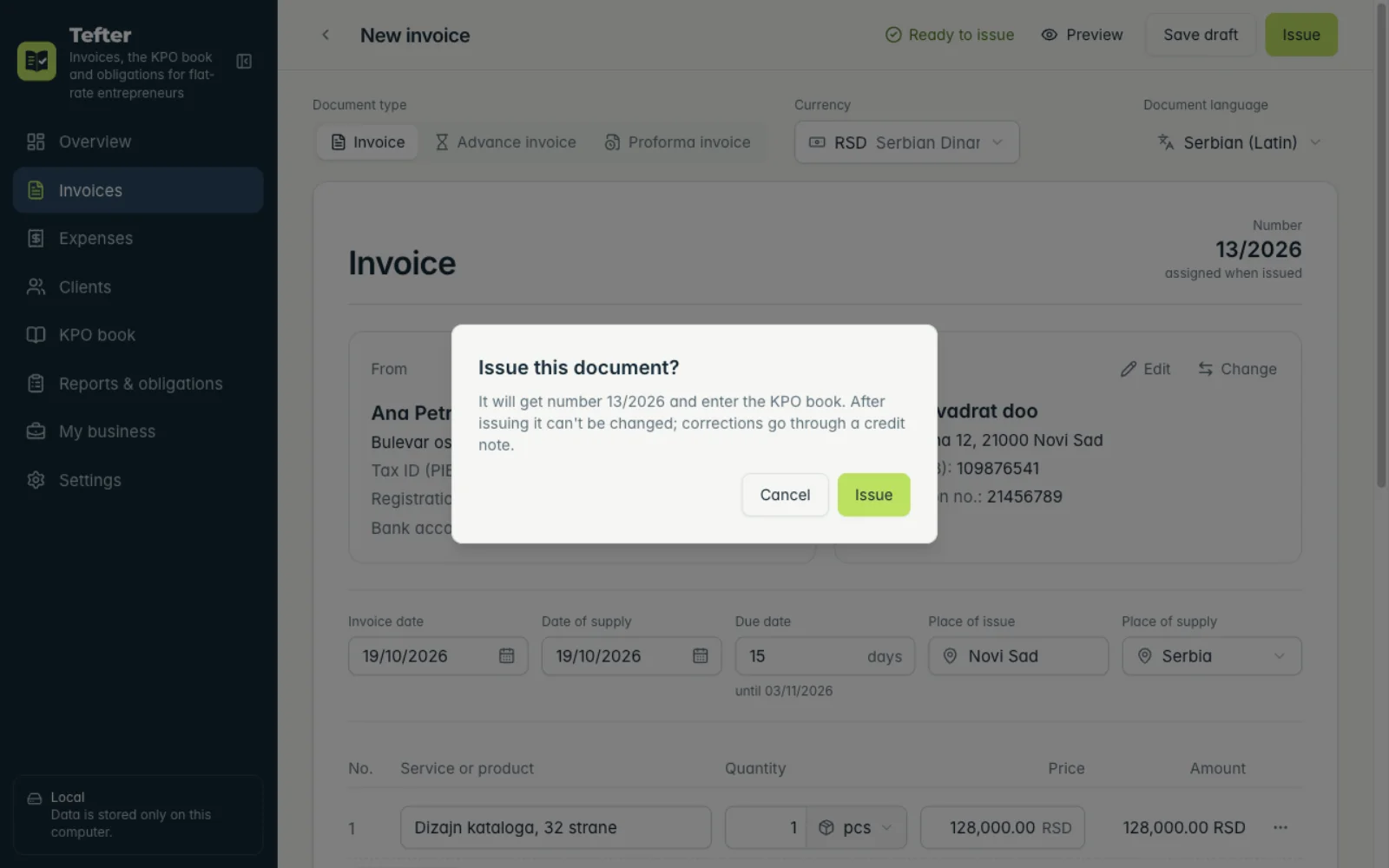
5Issue the invoice
Click “Issue” and confirm. The invoice gets the next number, goes into the KPO book and can no longer be changed. Not ready yet? “Save draft”.
Related guides
Didn't find the answer? Write to podrska@tefter.online