Clients, accounts and items
How to add a service or a product to an invoice on a computer
Items, units of measure and suggestions from earlier invoices.
Services and products go on the invoice as items. Tefter remembers what you've invoiced before and suggests the name, unit and price.
-
1A new item
On the invoice click “Add item” and start typing the “Service or product”. Earlier items appear as suggestions.
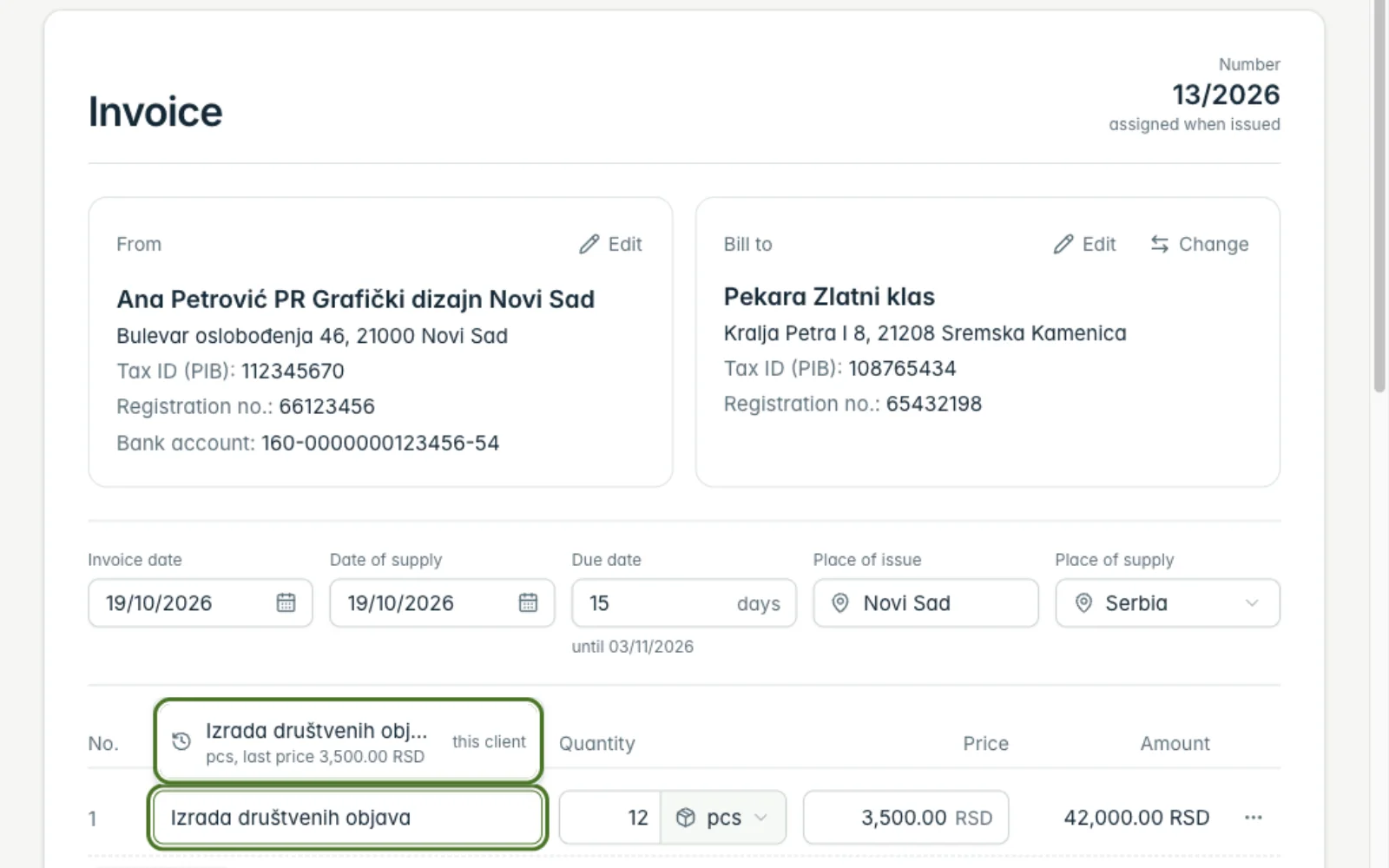
-
2Service or product, unit and price
Under “Item options” choose “Service” or “Product” and the unit (hour, day, piece…). In the KPO book services and products go into their own columns.
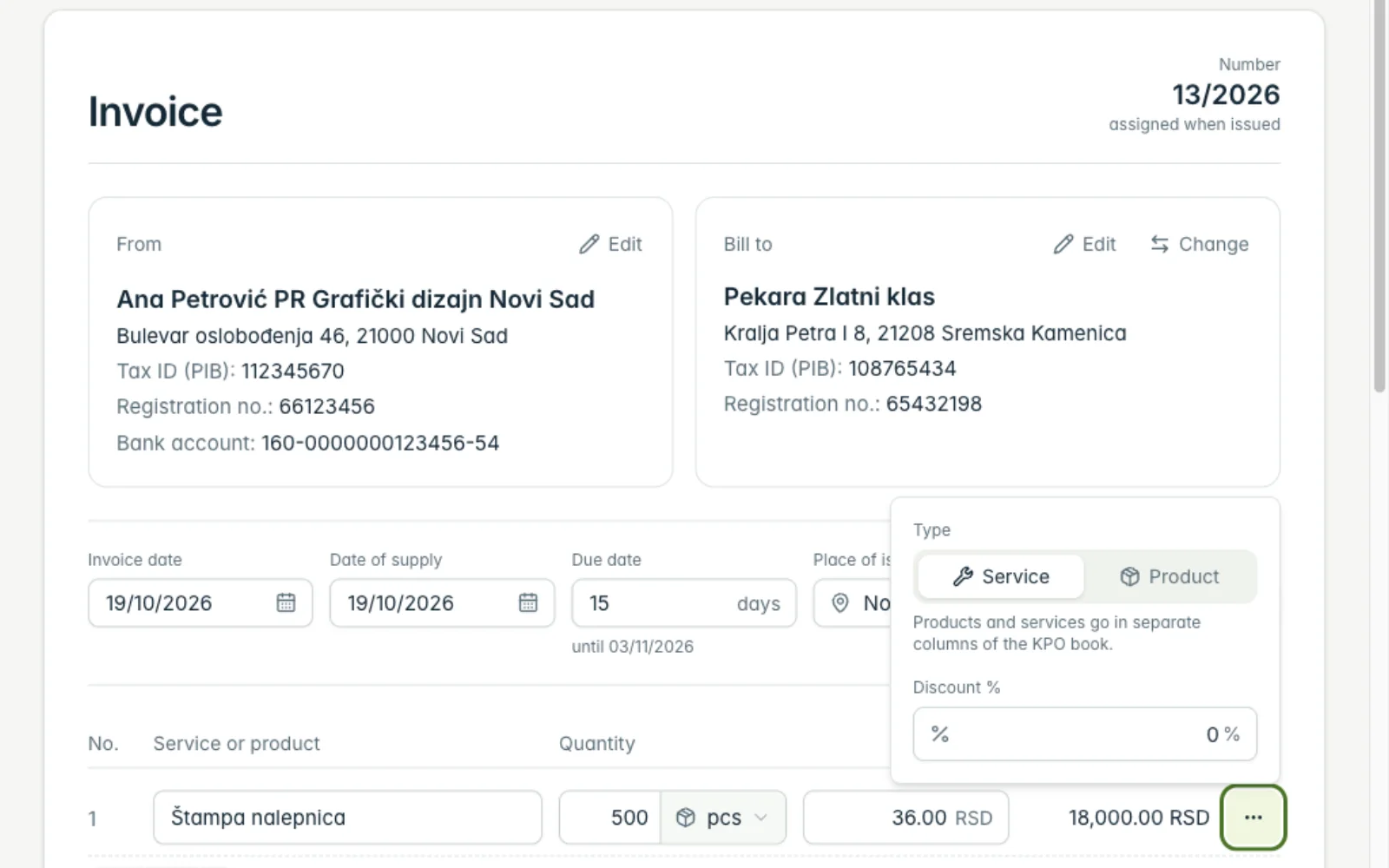
Related guides
Didn't find the answer? Write to podrska@tefter.online