Invoices
How to invoice a foreign company on a computer
In euros or dollars, in English, with the NBS rate and your foreign-currency account.
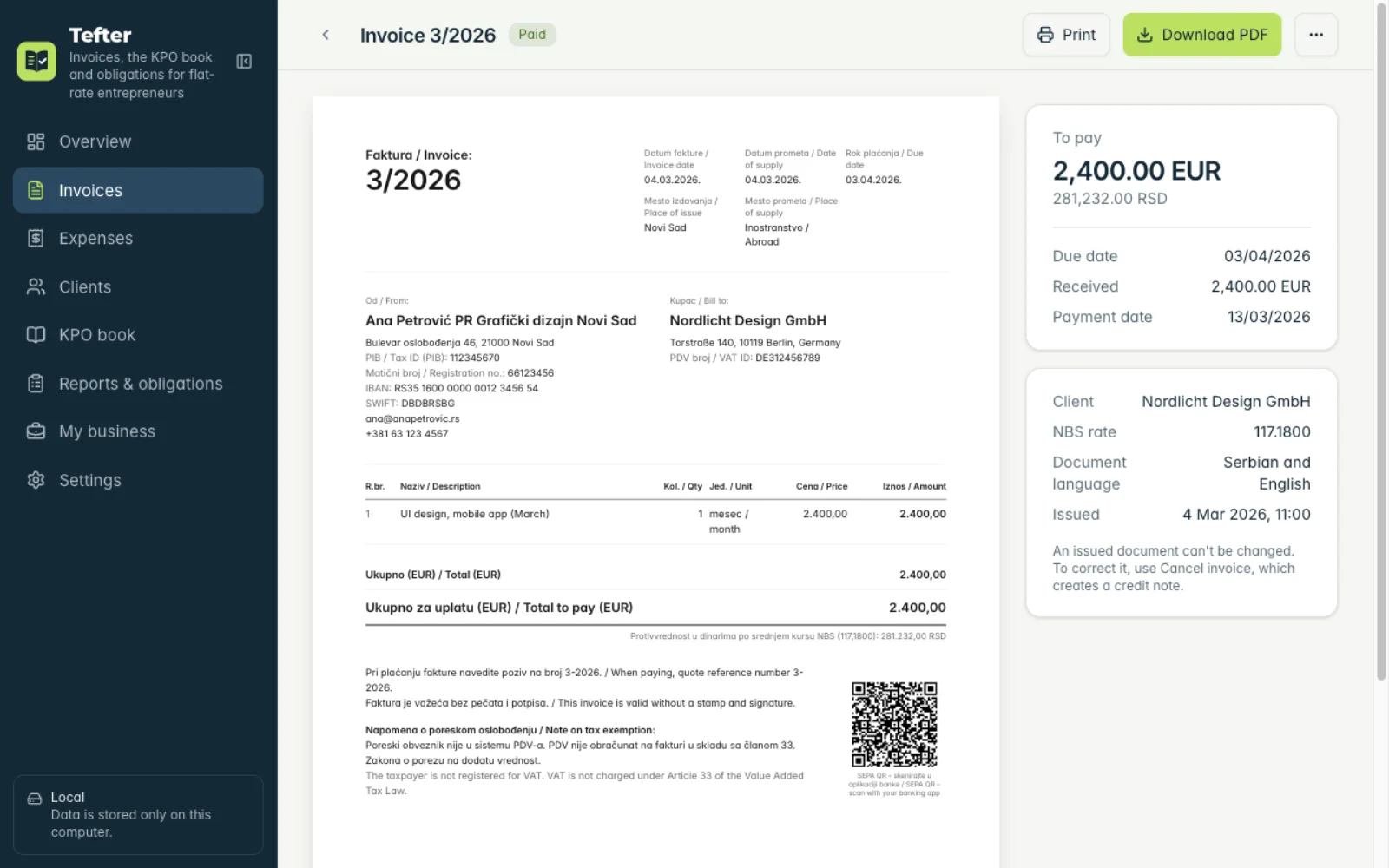
Example: an invoice to the German company "Nordlicht Design GmbH" in Berlin for mobile app design, in euros, in Serbian and English.
-
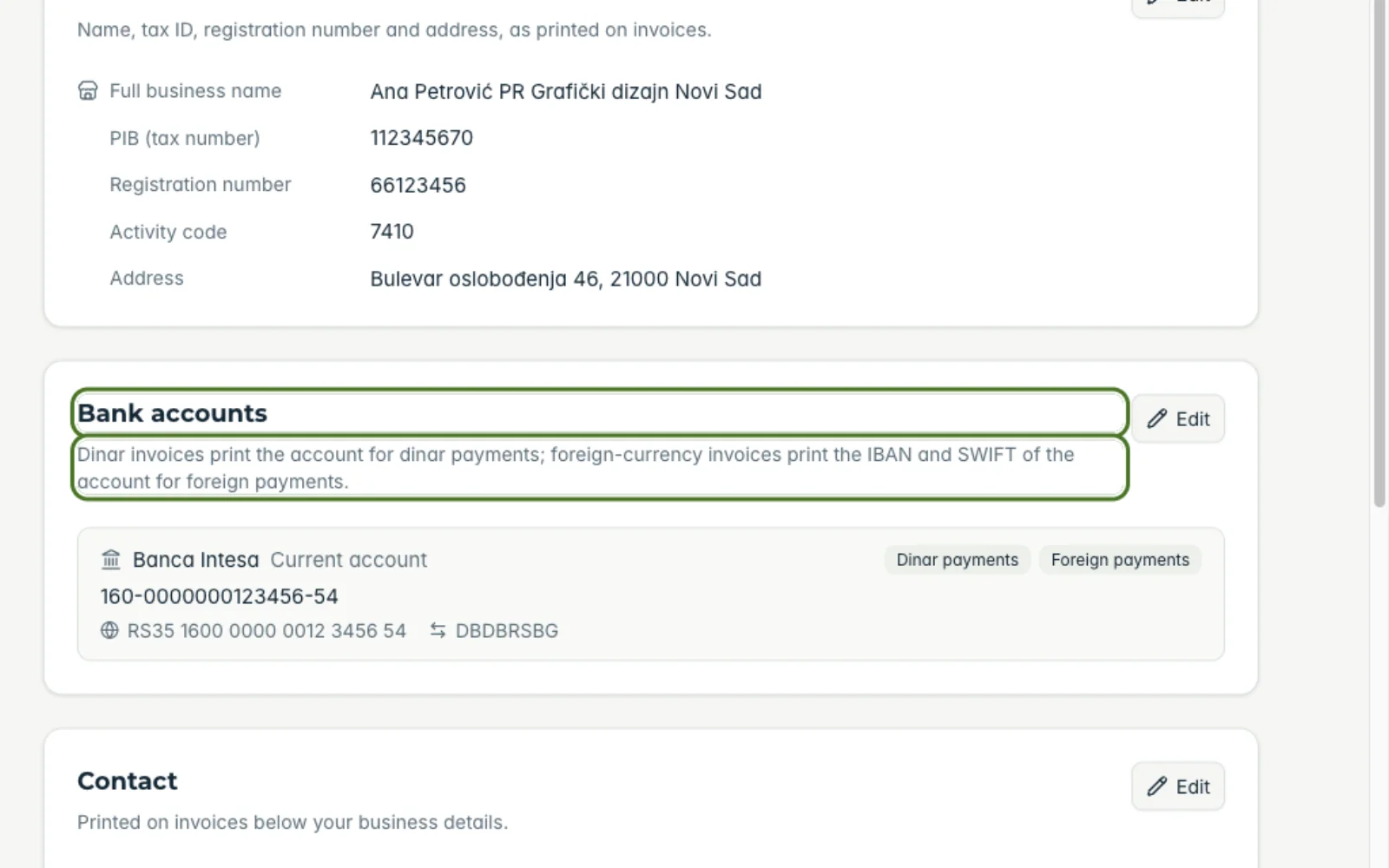
1Add your foreign-currency account
Once: under “My business” → “Bank accounts” add an account for “Foreign payments” with its IBAN and SWIFT.
-
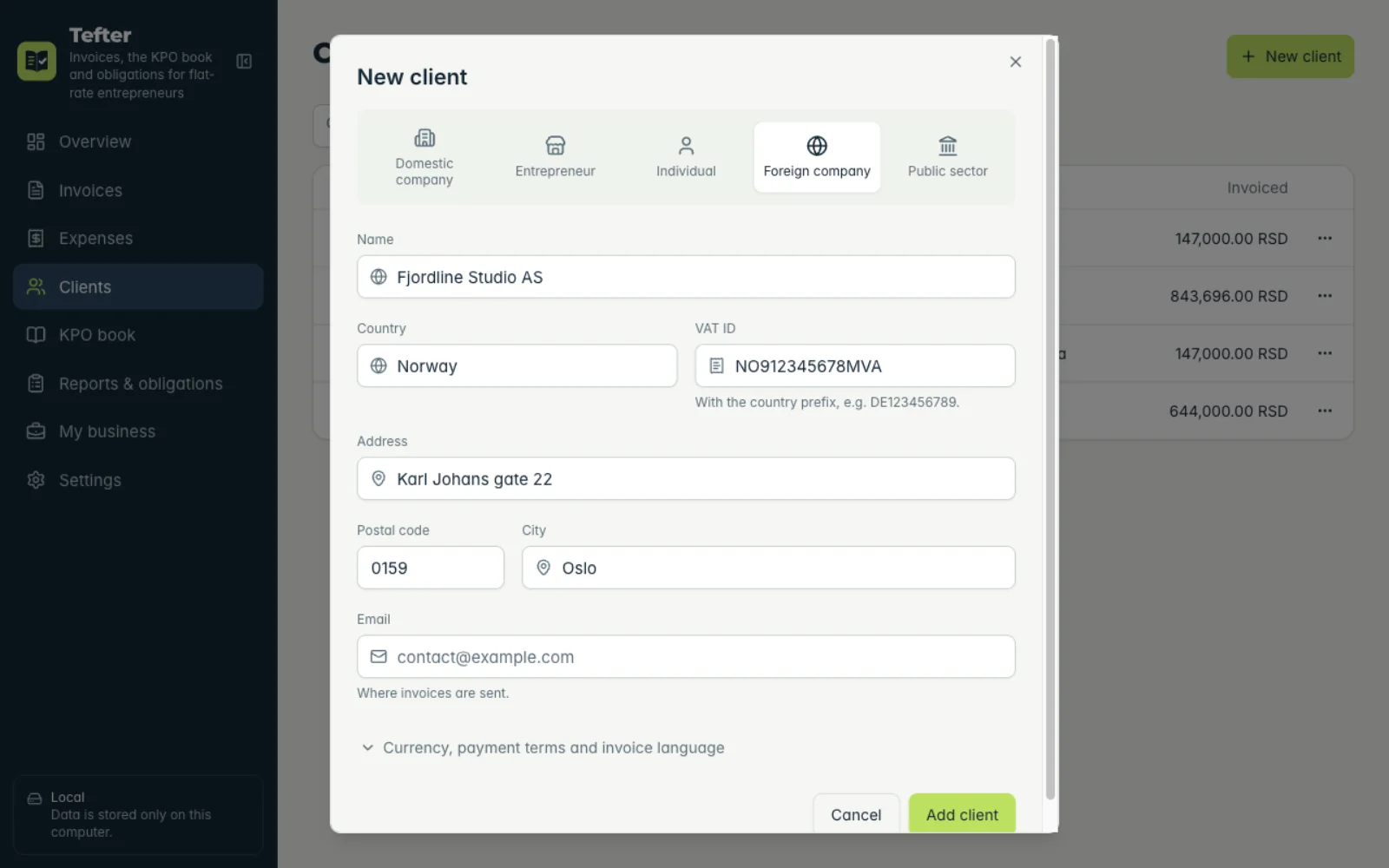
2The foreign client
Add the client as “Foreign company”: name, address, country and VAT ID. Set the invoice currency and language on the client so they apply to every future invoice.
-
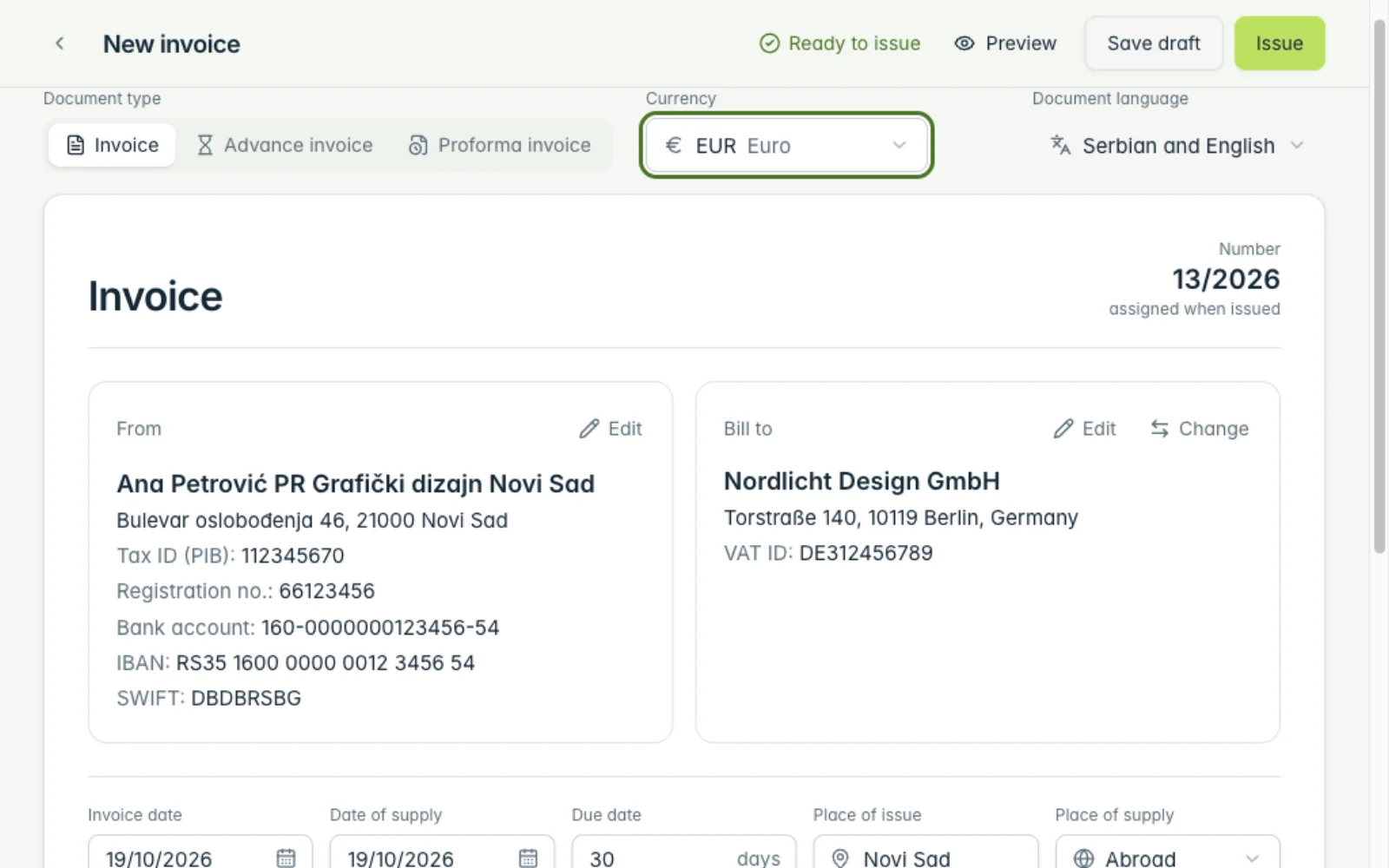
3Currency and rate
On the invoice choose “Currency” EUR. The “NBS rate” for the date of service is fetched for you; the dinar amount goes into the KPO book.
-
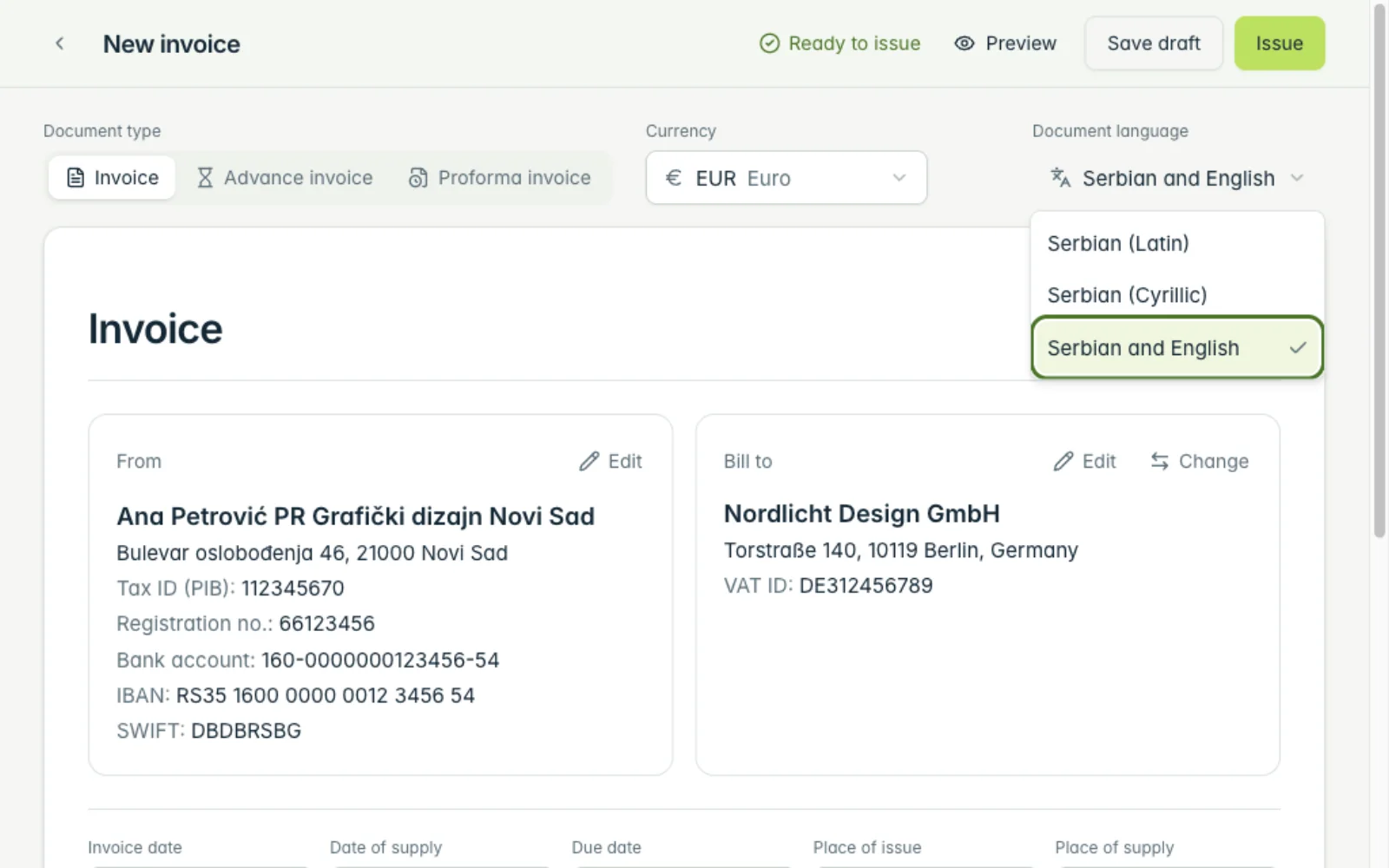
4Invoice language
In “Document language” choose “Serbian and English”. The invoice prints in both languages.
-
5Issue
Click “Issue”. The invoice shows your IBAN and SWIFT, the amount in euros and its dinar equivalent at the NBS rate.
Related guides
Didn't find the answer? Write to podrska@tefter.online