Getting started
How to enter your business details on a computer
Tax and registration numbers, address and account that print on every invoice.
Your business details print on every invoice. Enter them once, exactly as on your APR registration.
-
1Open your business details
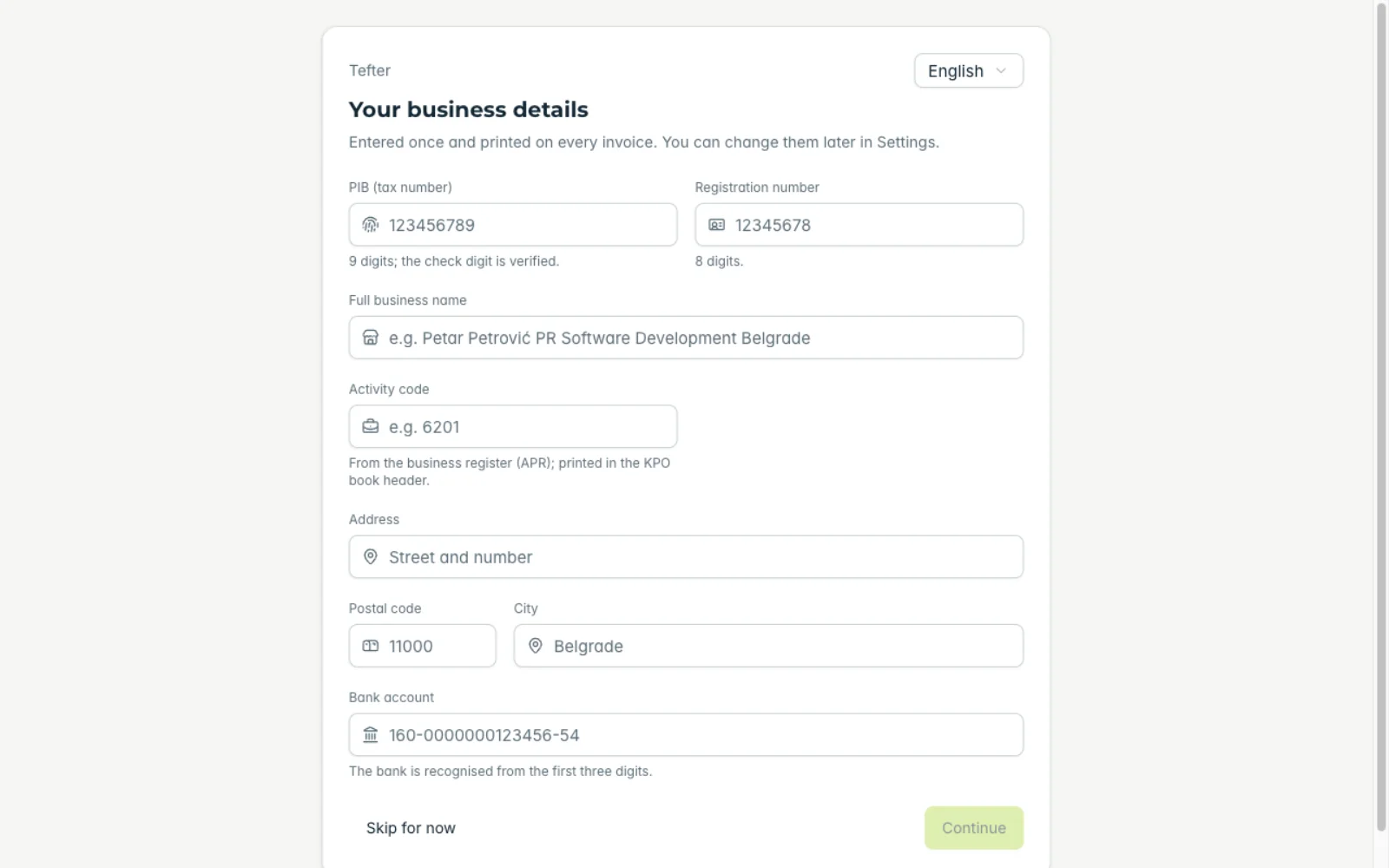
After the first launch Tefter opens “Your business details” by itself. Later you change them under “My business”.
-
2Start with the tax number
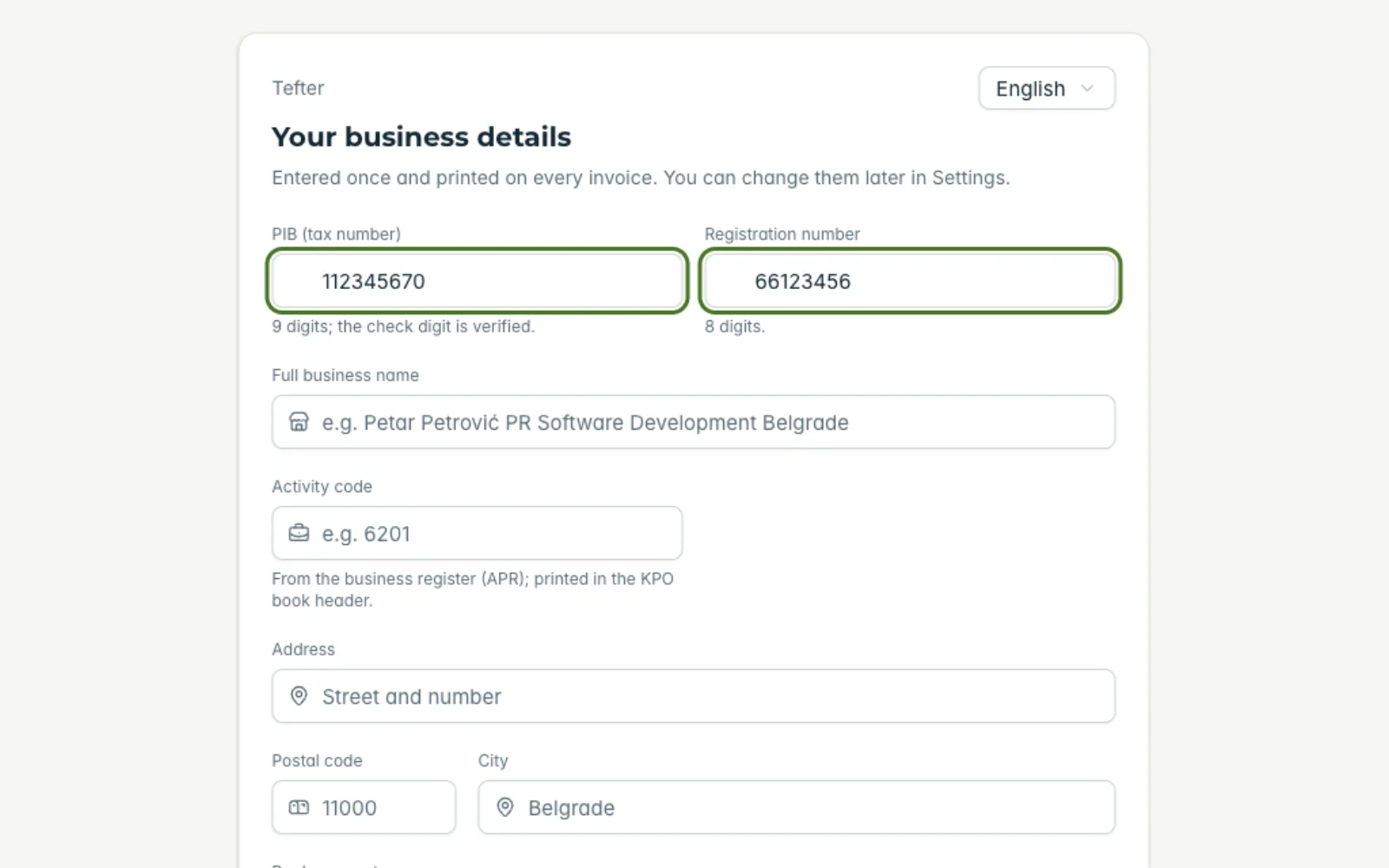
Enter the PIB (tax number, 9 digits; the check digit is verified) and the registration number (8 digits).
-
3Name, address and activity code
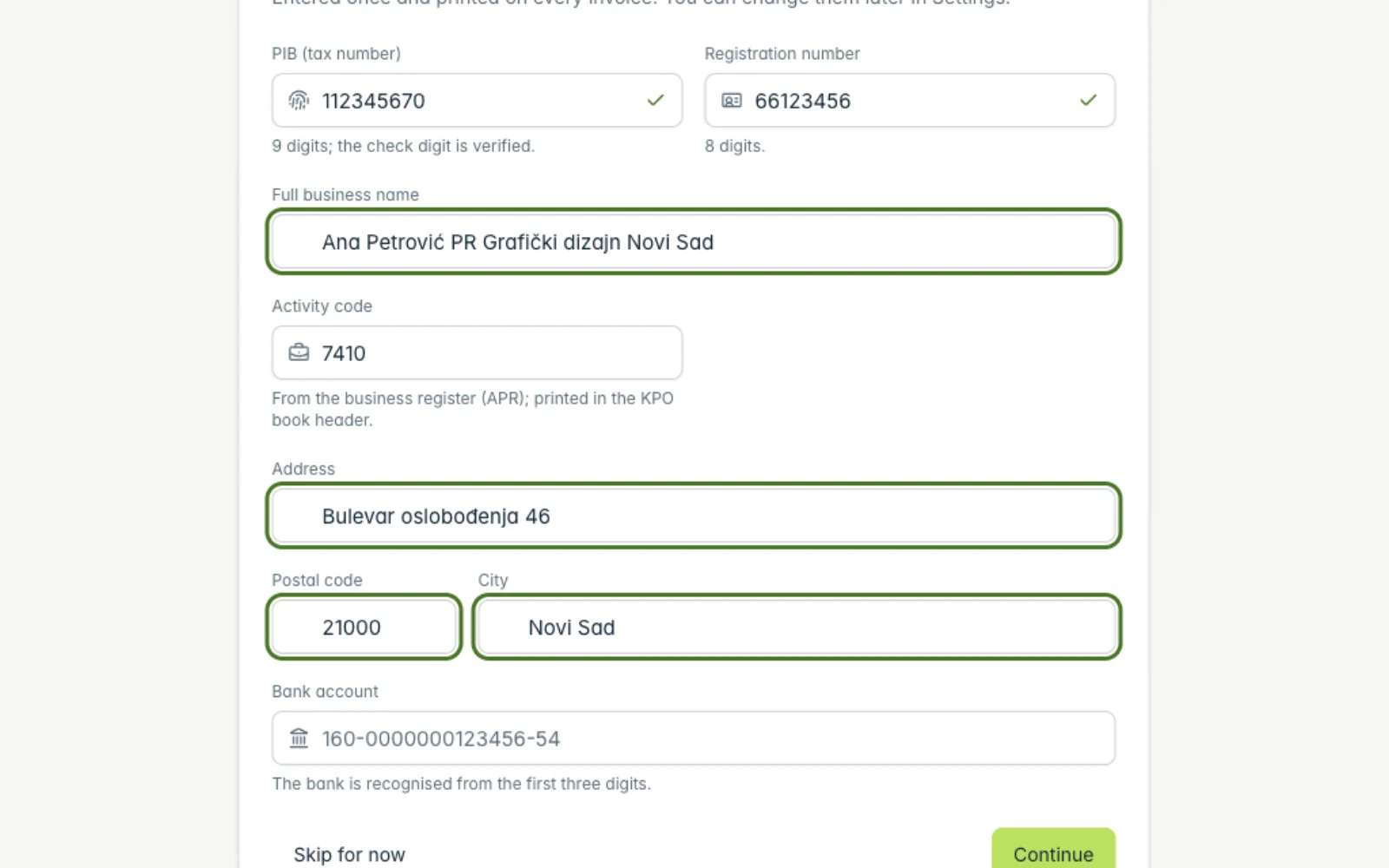
Type the full business name, for example "Ana Petrović PR Grafički dizajn Novi Sad", the address, postcode and town. The town and postcode are suggested as you type.
-
4Bank account
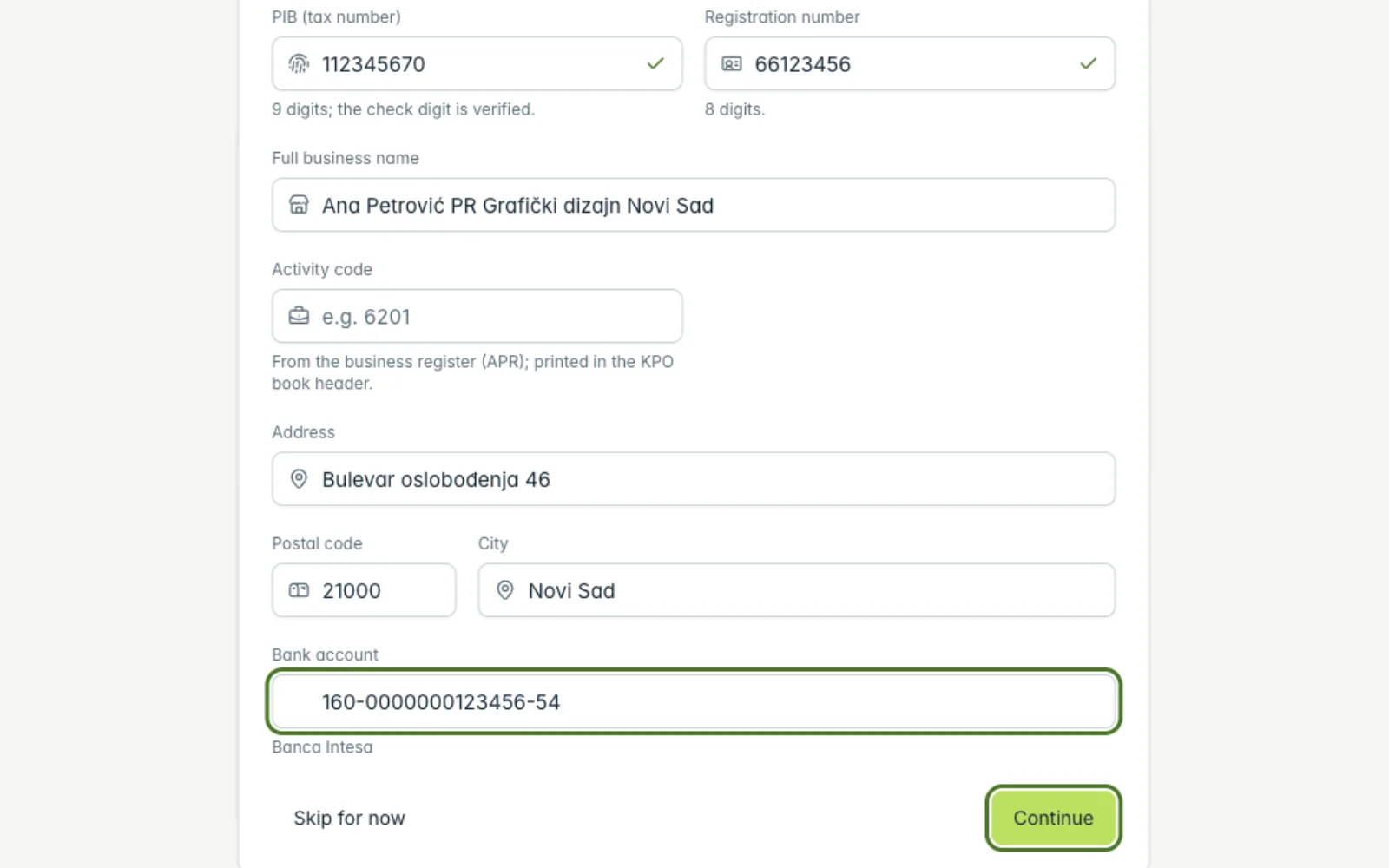
Enter your bank account number. The bank is recognised from the first three digits. Add a foreign-currency account later under “Bank accounts”.
-
5Save
Click “Continue”. The details are saved and will print on every new invoice.
Related guides
Didn't find the answer? Write to podrska@tefter.online