Account and data
How to create an account and turn on sync on Android
Sign in with a code from your email and have the same data everywhere.
You only need an account if you want the same data on your computer, phone and in the browser. You sign in with a code from your email, no password.
-
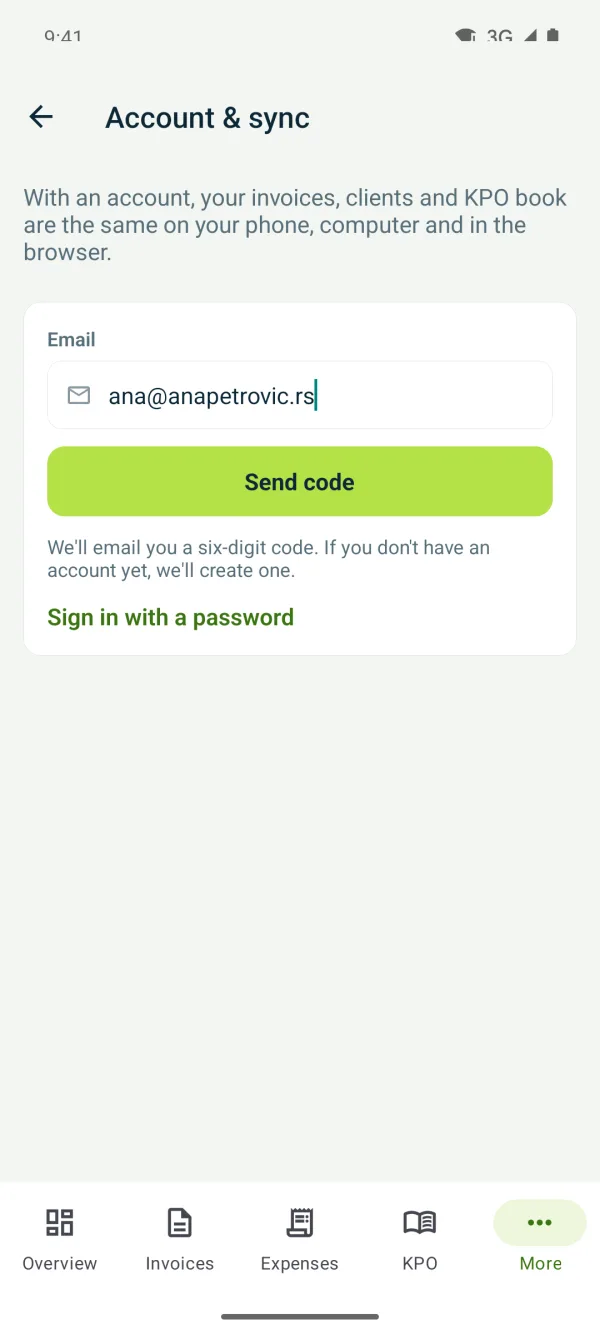
1Enter your email
“More” → “Account & sync”, type your email and tap “Send code”.
-
2Type the code
A six-digit code arrives from prijava@tefter.online. Type or paste it and you're signed in. If it doesn't arrive, check your spam folder.
-
3Turn on sync
Sync is paid for on a computer or in the web version. Once it's active, the phone works with the account's data too.
-
4Move your data
Tap “Move data from this phone to the account” or “Copy data from the account to this phone”, depending on where your data is.
Related guides
Didn't find the answer? Write to podrska@tefter.online