Account and data
How to create an account and turn on sync on a computer
Sign in with a code from your email and have the same data everywhere.
You only need an account if you want the same data on your computer, phone and in the browser. You sign in with a code from your email, no password.
-
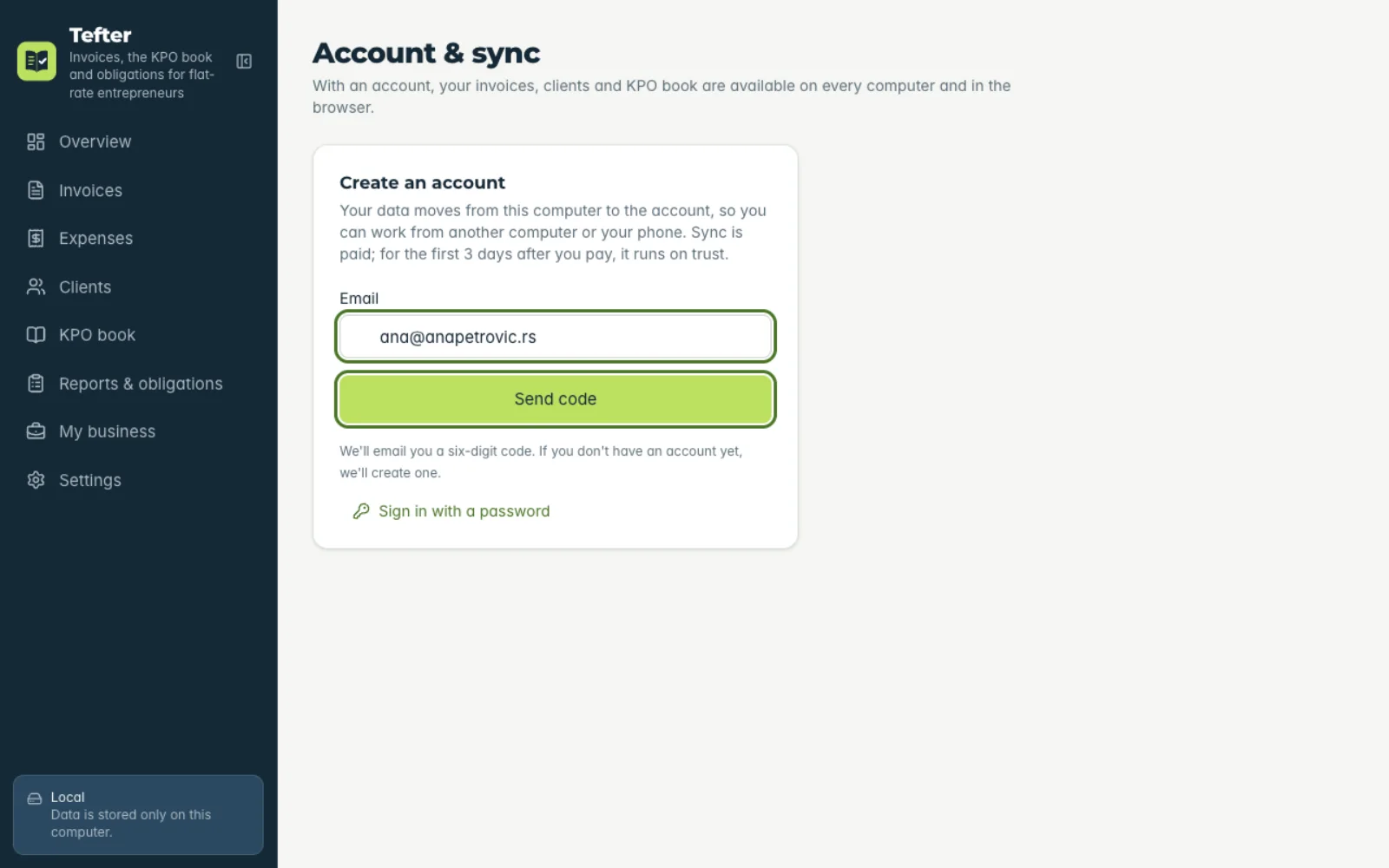
1Enter your email
Under “Account & sync” type your email and click “Send code”. If there's no account yet, one is created.
-
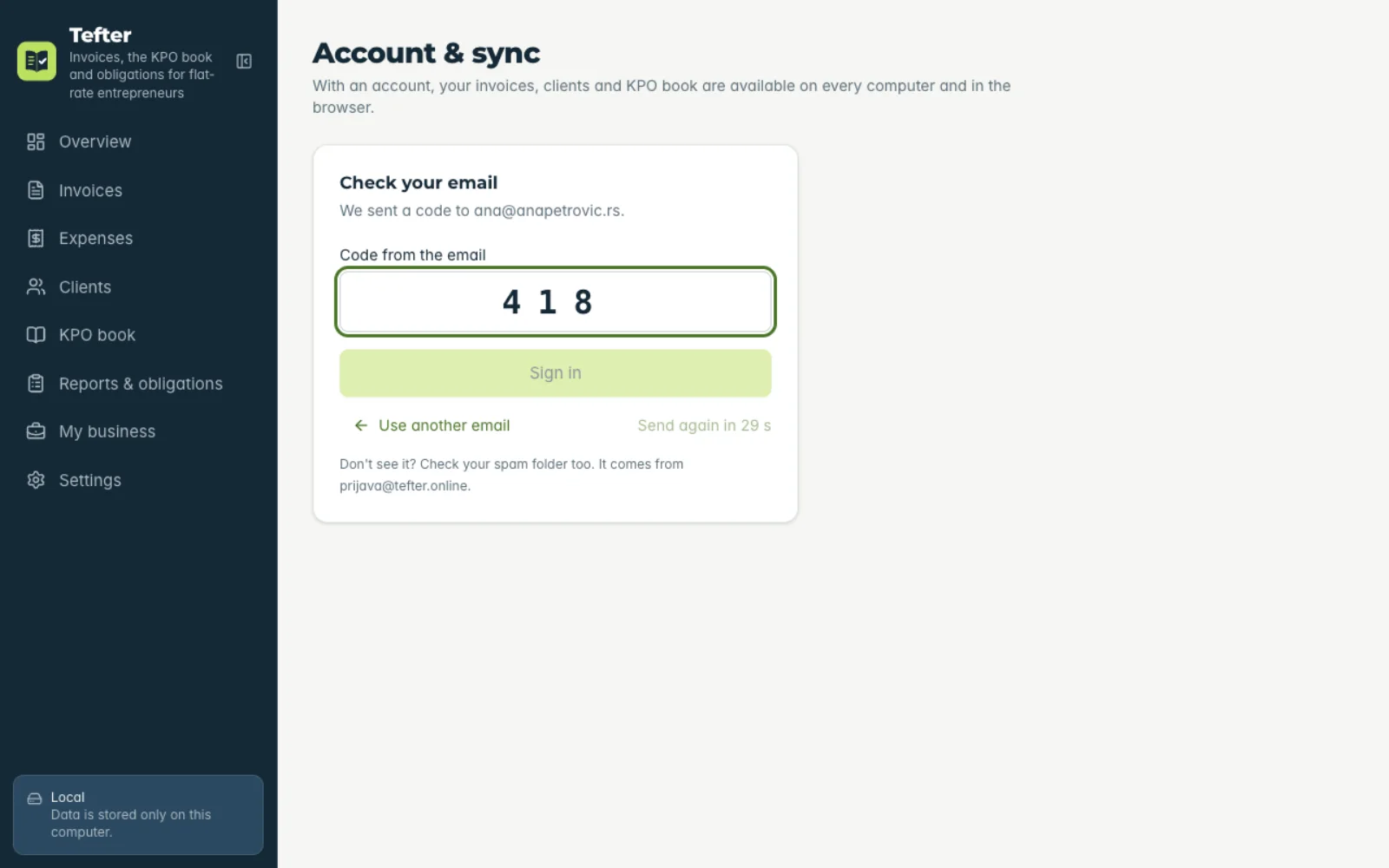
2Type the code
A six-digit code arrives from prijava@tefter.online. Type or paste it and you're signed in. If it doesn't arrive, check your spam folder.
-
3Turn on sync
Pay by bank transfer or QR code with the reference from the app and click “I've paid”. Sync works right away, for 3 days while the payment arrives.
-
4Move your data
Click “Upload data to the account”: the computer's data moves to the account and stays untouched on the computer.
Related guides
Didn't find the answer? Write to podrska@tefter.online