KPO, limits and tax
How to prepare documents for a tax inspection on a computer
Every report and invoice for the period, in one file.
For a tax inspection Tefter builds a package with everything an inspector usually asks for, for the period you choose.
-
1Open reports
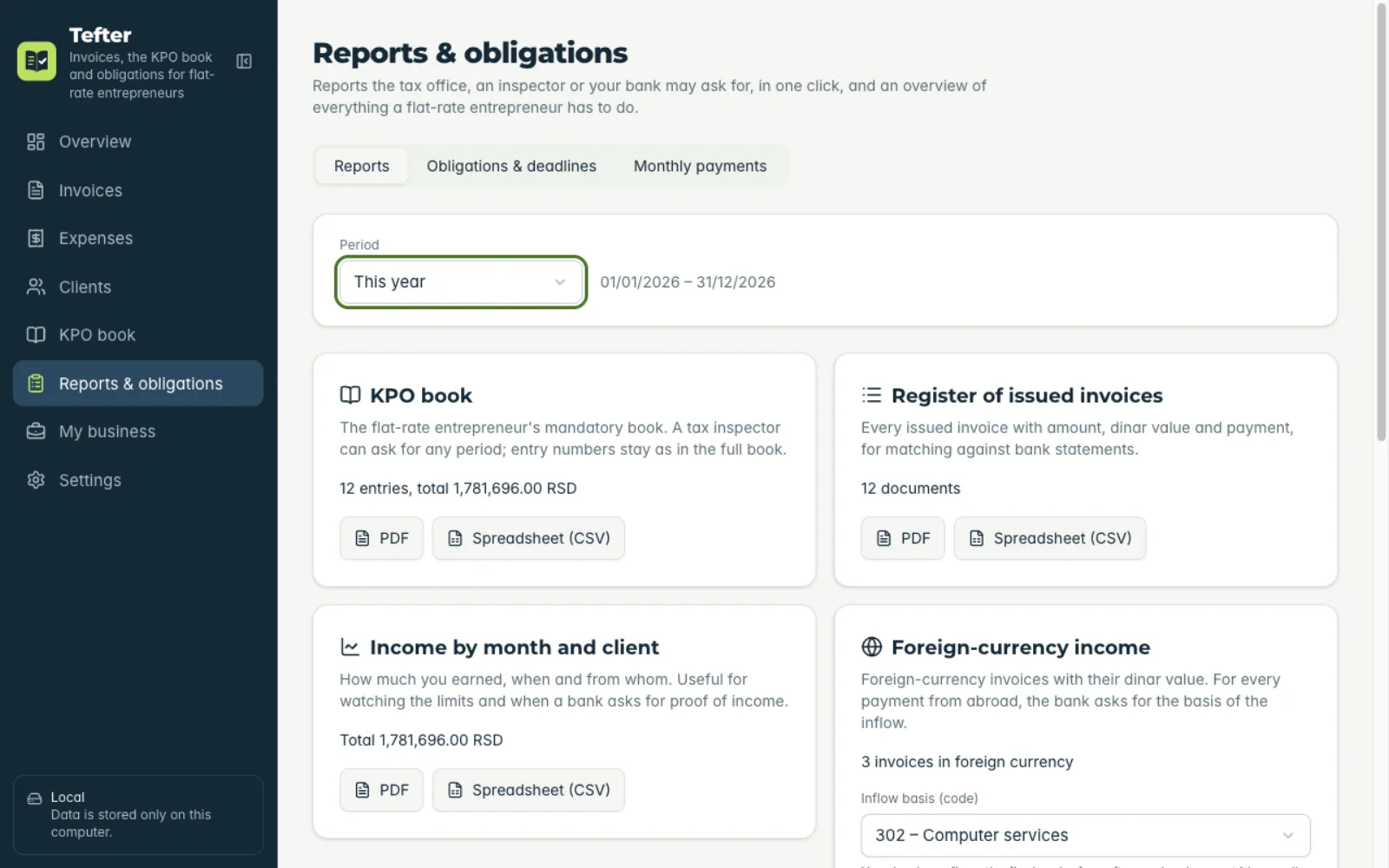
Under “Reports & obligations” choose the “Reports” tab and the period.
-
2Download the package
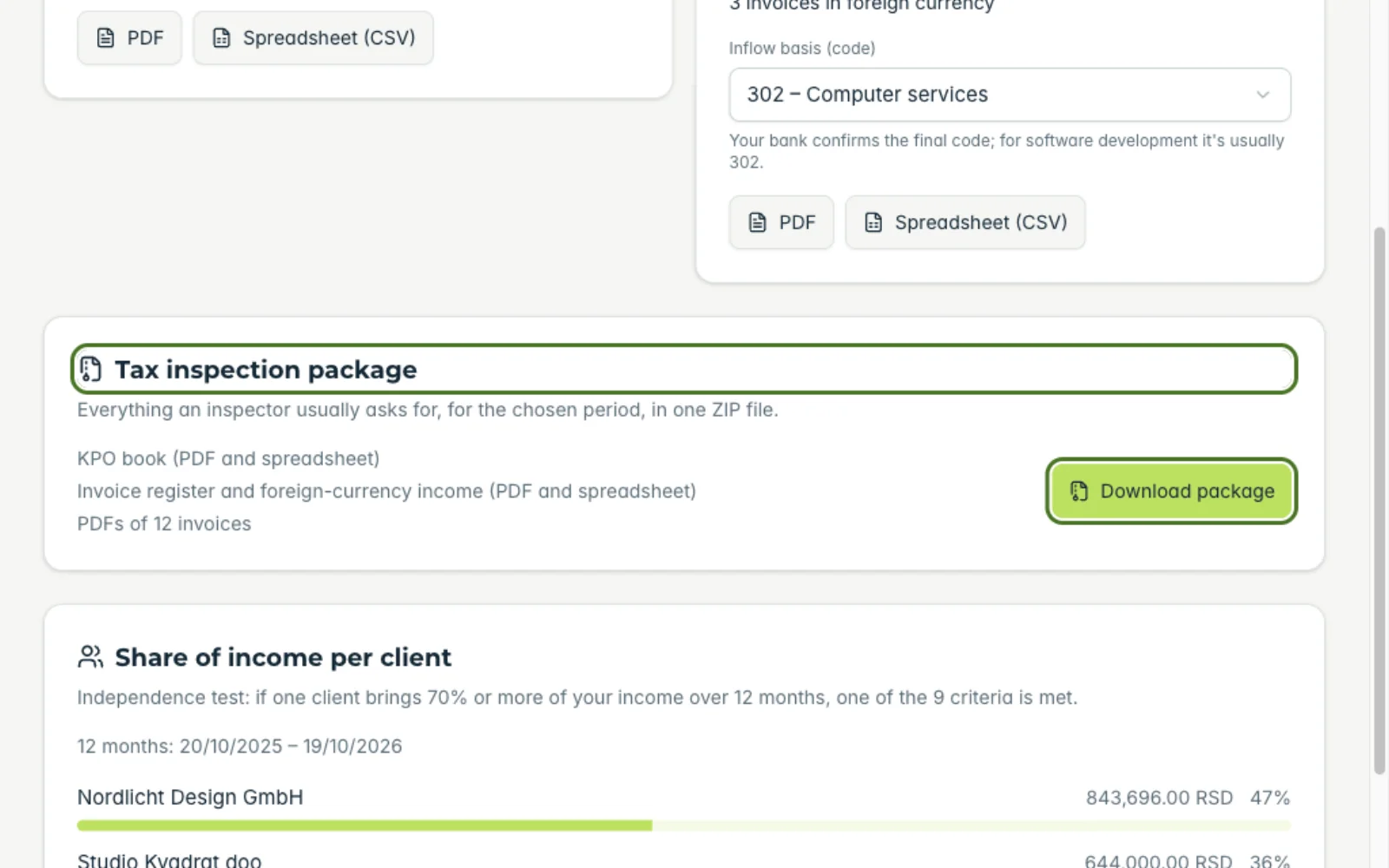
At “Tax inspection package” click download. You get a ZIP with the KPO book, the register of issued invoices, foreign-currency receipts and a PDF of every invoice.
Related guides
Didn't find the answer? Write to podrska@tefter.online