Invoices
How to send an invoice to a client on Android
A PDF from the app, by email or message.
You send the client the invoice PDF. Tefter makes it in A4, with a payment QR code.
-
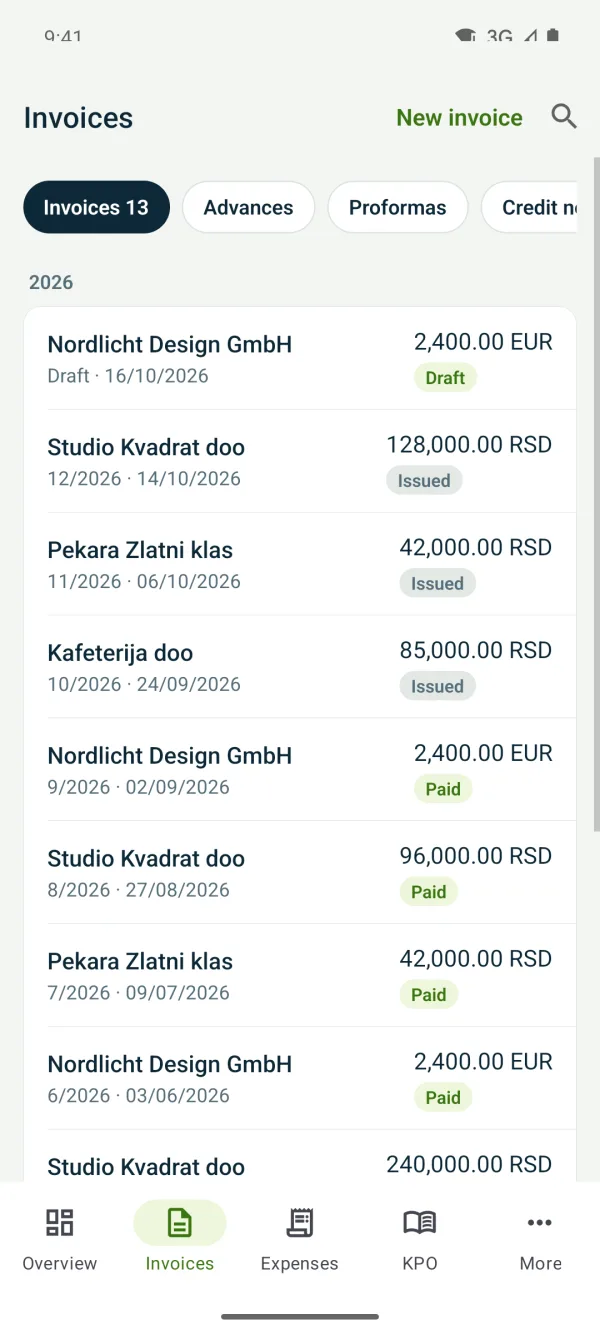
1Open the issued invoice
Under “Invoices” open the invoice.
-
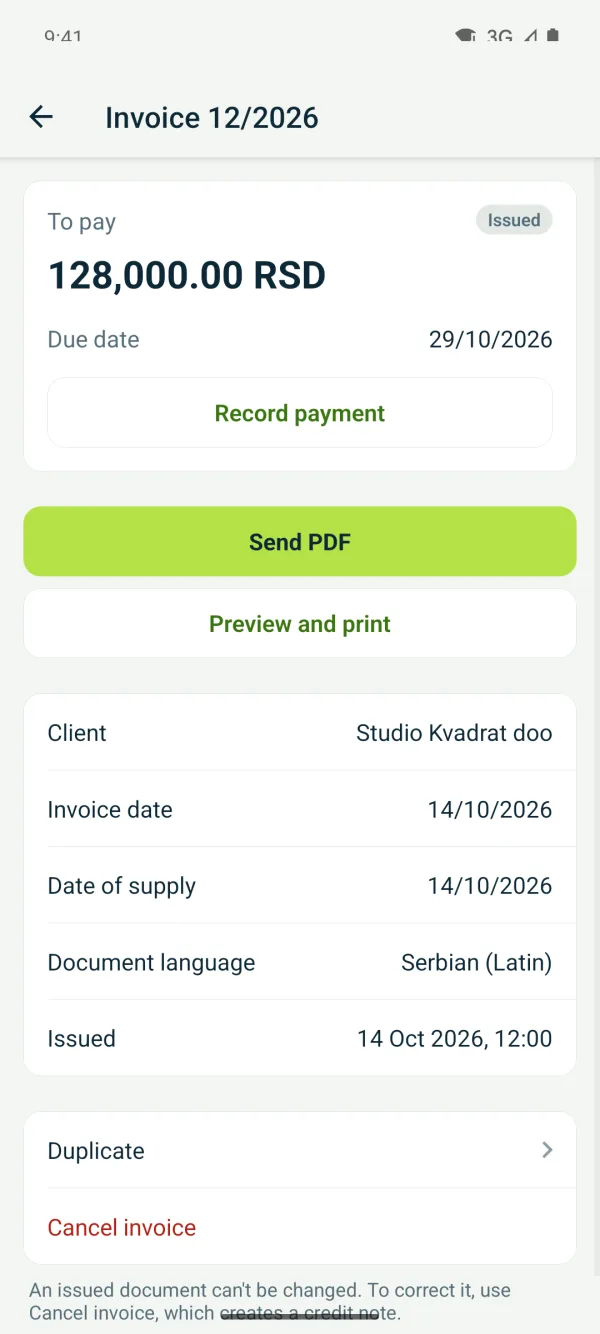
2Save or send the PDF
Tap “Send PDF” and choose Mail, Gmail, Viber or another app.
Related guides
Didn't find the answer? Write to podrska@tefter.online