Expenses
How to scan a fiscal receipt on Android
The QR code on a receipt becomes a cost, verified with the Tax Administration.
Every fiscal receipt has a QR code. Tefter reads the receipt from it and verifies it with the Tax Administration: seller, items, tax and payment method.
-
1Add the receipt
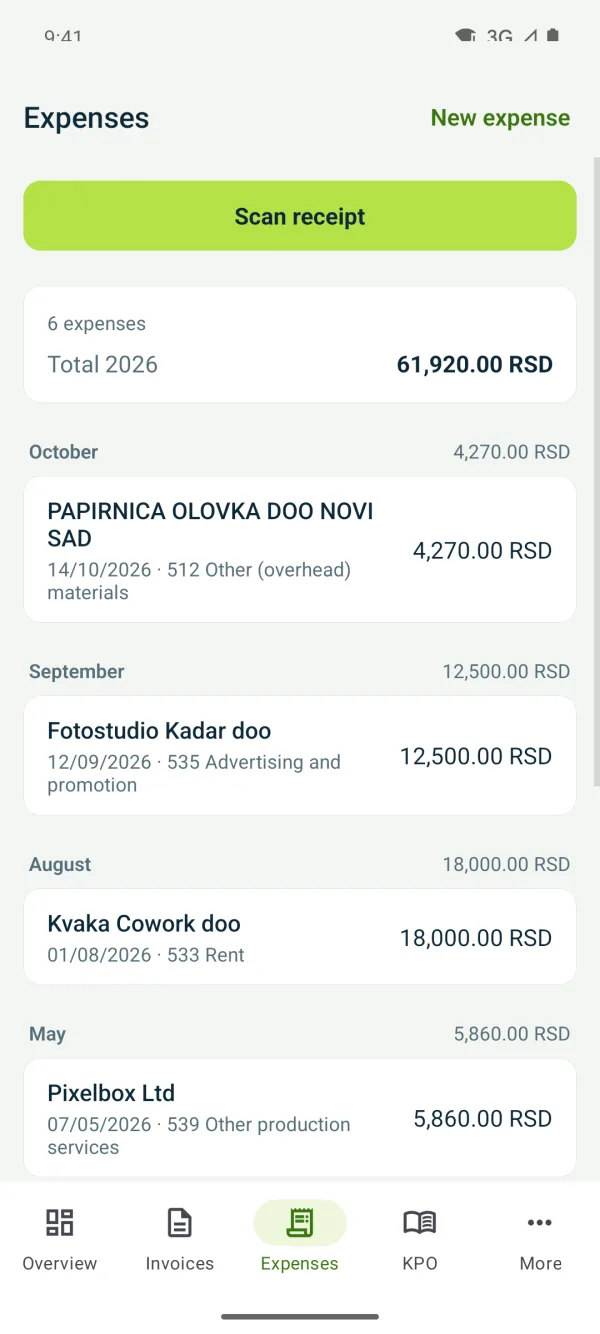
Under “Expenses” tap “Scan receipt” and point the camera at the QR code at the bottom of the receipt.
-
2Check the cost type
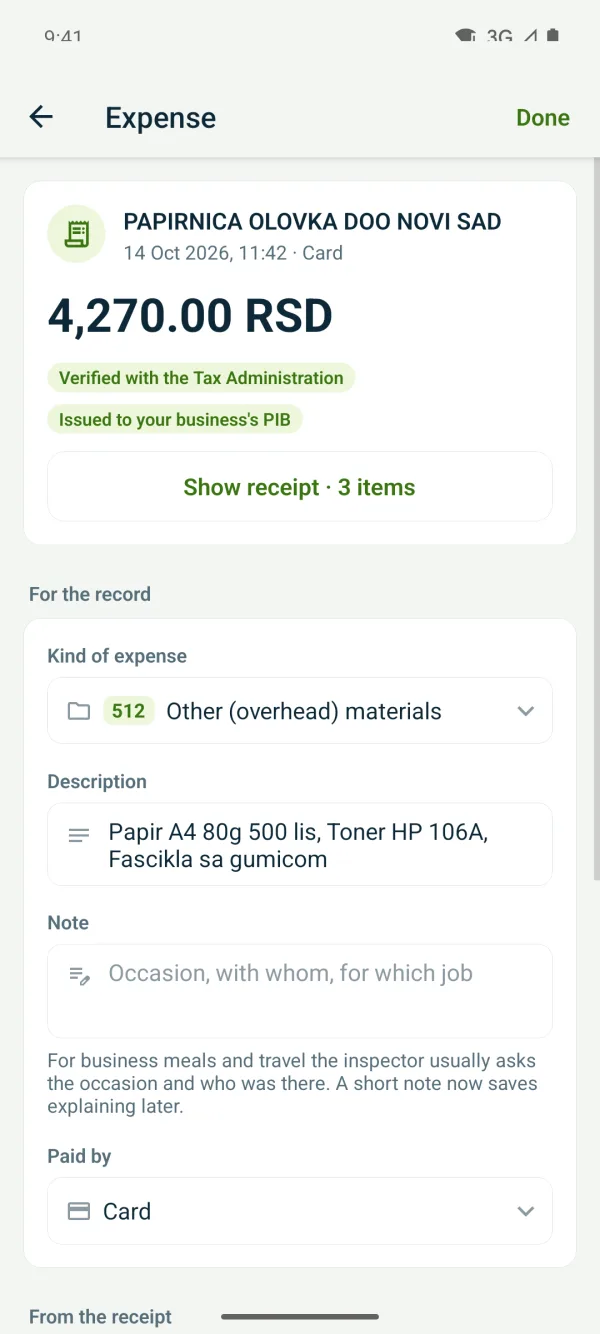
Tefter suggests the “Kind of expense” from the receipt's items, with its account code. Change it if needed and save.
-
3View the receipt
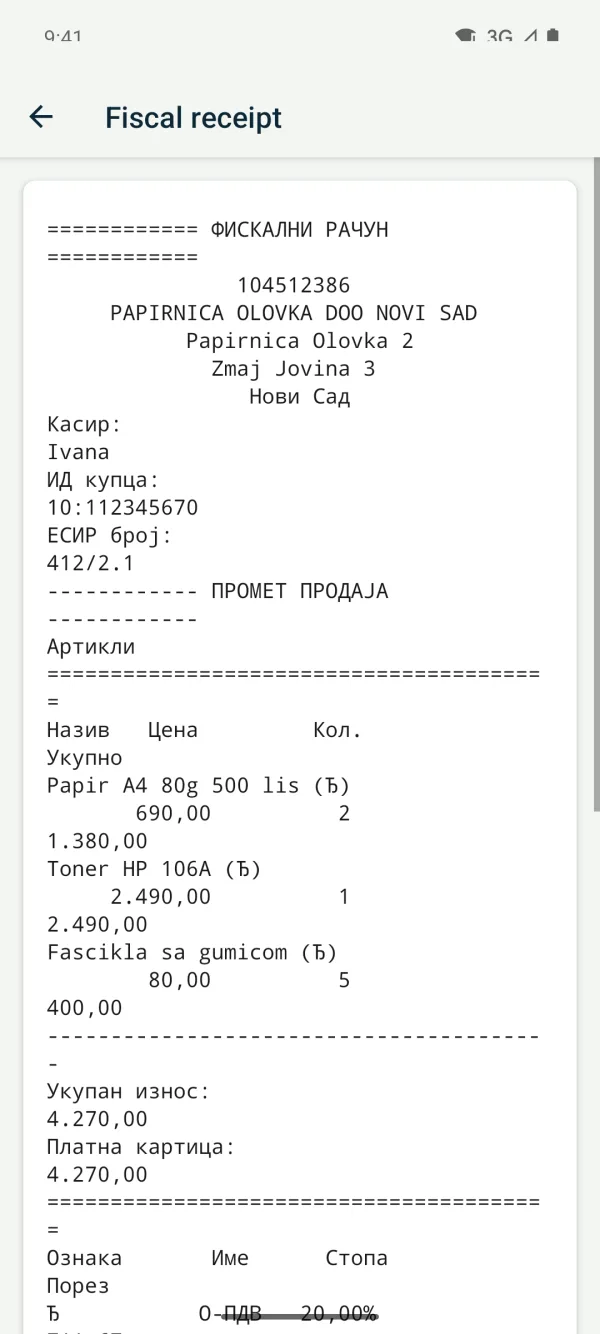
“Show receipt” shows the receipt as printed. “Issued to your business's PIB” means it was issued to your business.
Related guides
Didn't find the answer? Write to podrska@tefter.online