Clients, accounts and items
How to add a client on Android
A Serbian company by tax number or a foreign one with its VAT number.
Add a client once; after that you pick it on an invoice with two keystrokes. Example: "Zlatna kocka doo" from Novi Beograd.
-
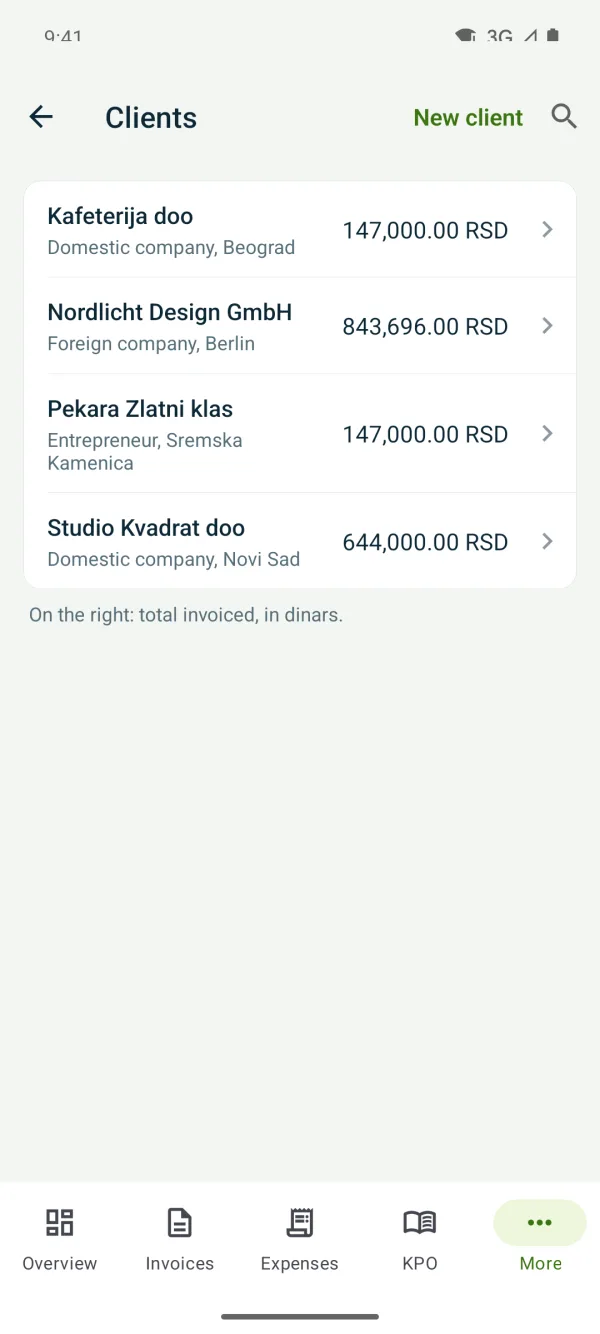
1New client
“More” → “Clients” and tap “New client”.
-
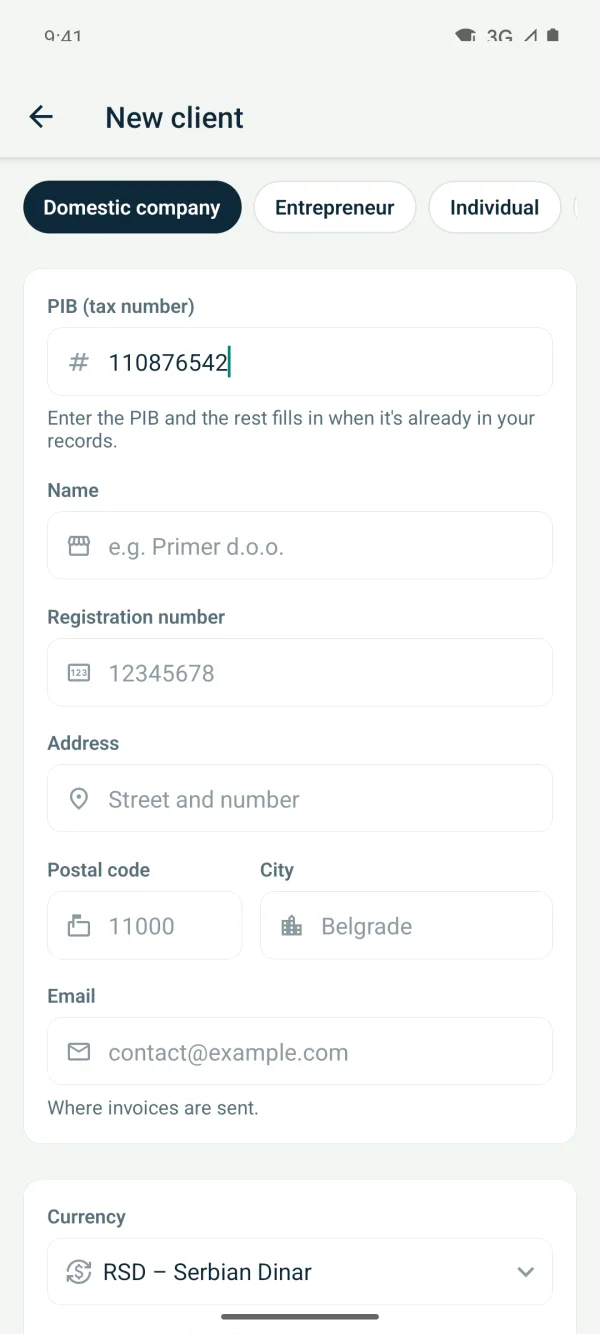
2Client type and tax number
Choose “Domestic company”, “Entrepreneur” or “Foreign company”. For Serbian clients start with the tax number: if it's already in your invoices or expenses, the rest fills itself in.
-
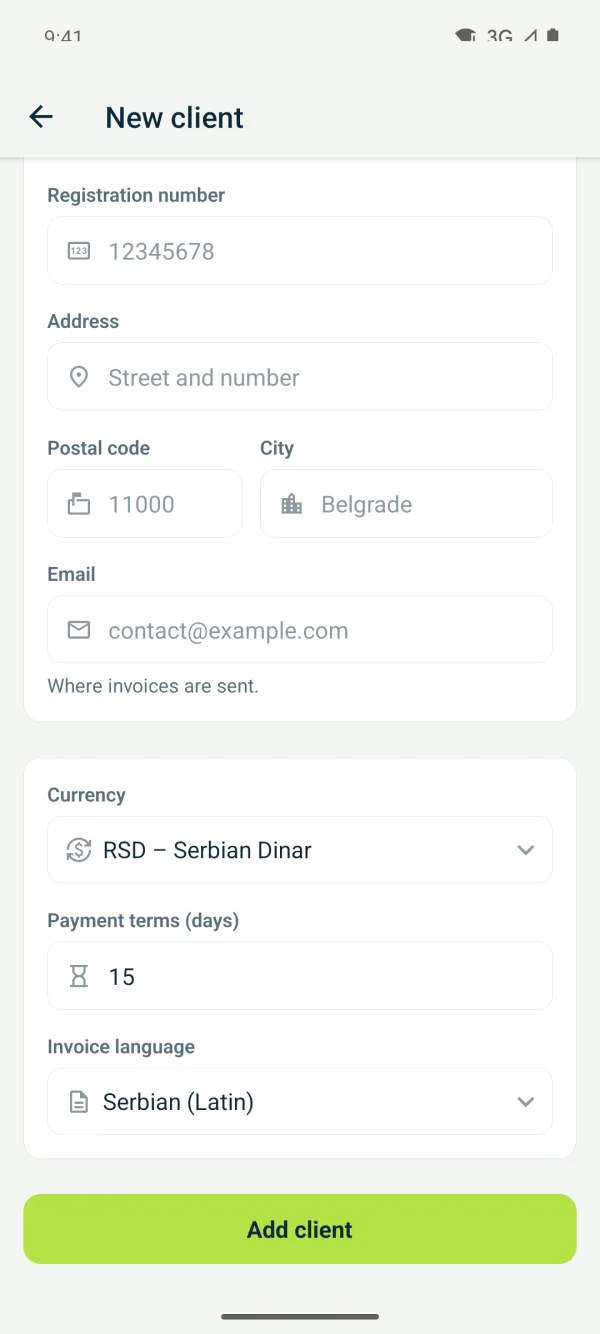
3Address and defaults
Enter the name, address and town. Under “Currency, payment terms and invoice language” set the currency, payment terms and language for this client, then save.
Related guides
Didn't find the answer? Write to podrska@tefter.online