KPO, limits and tax
How to pay tax and contributions with a QR code on iPhone
Enter the amounts from your decision once, then pay by scanning.
Tax and contributions are due by the 15th for the previous month. Enter the amounts from your flat-rate decision once a year and pay by scanning a QR code.
-
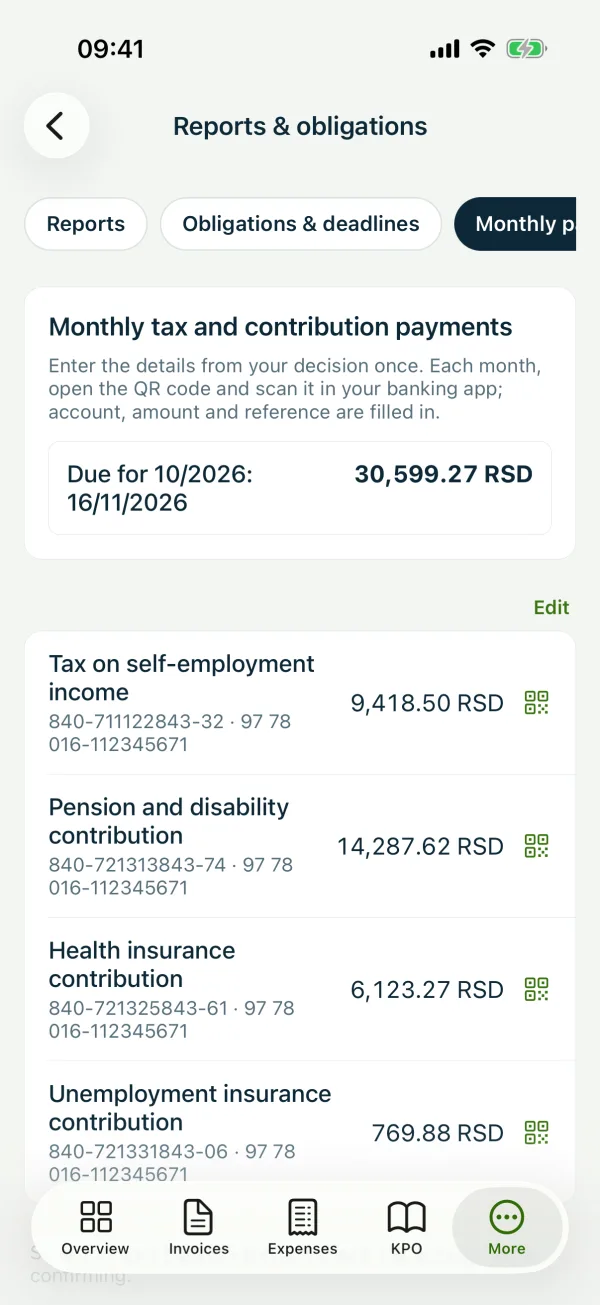
1Open monthly payments
“More” → “Reports & obligations” → “Monthly payments”.
-
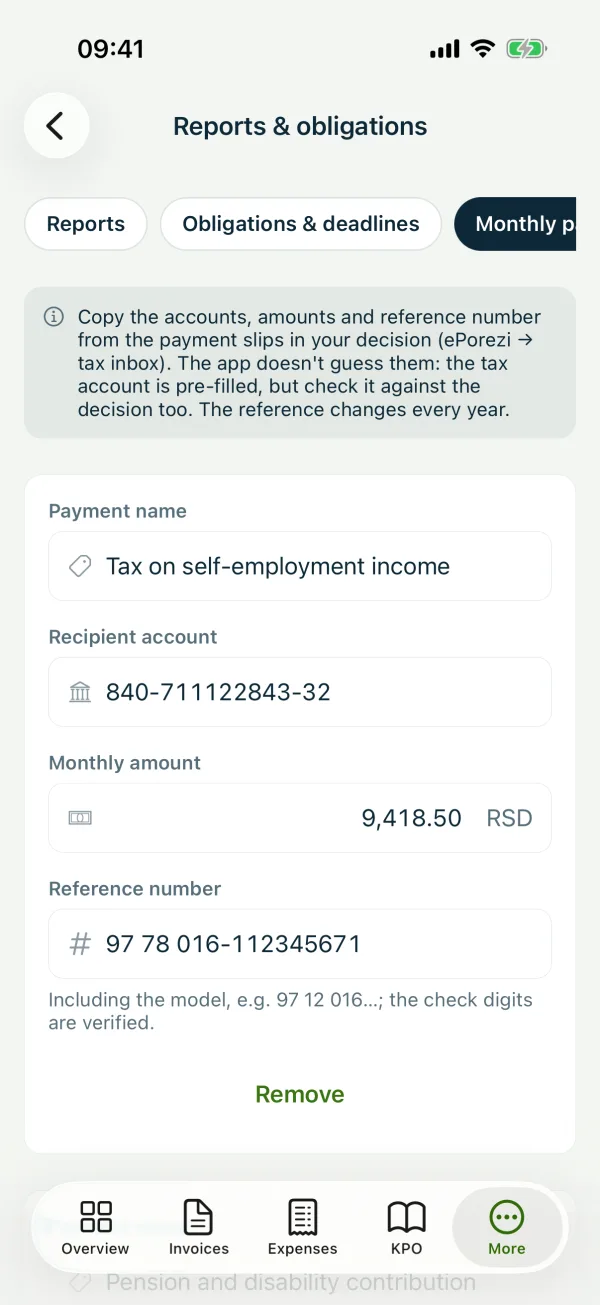
2Enter the figures from your decision
Click “Enter details from the decision” and for each payment copy the “Recipient account”, “Monthly amount” and “Reference number” from your decision. The check digits are verified.
-
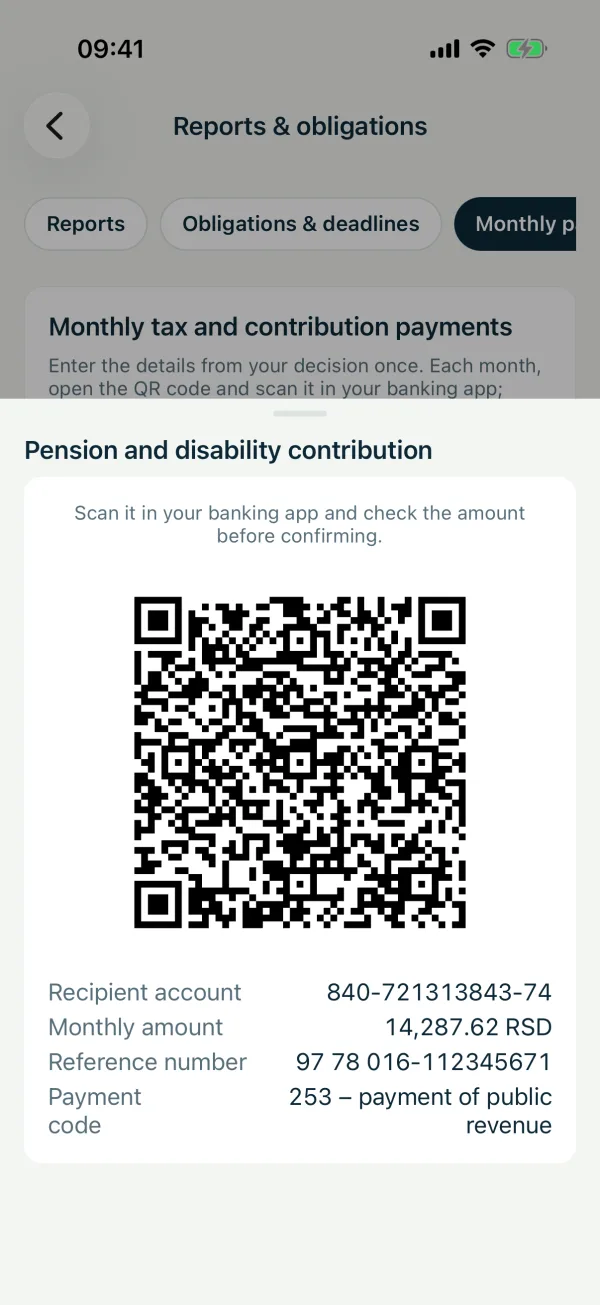
3Pay with the QR code
Each month tap “QR code”. If you pay from the same phone, save the QR as an image and load it in your banking app.
Related guides
How to keep track of the 6 and 8 million limitsHow to prepare documents for a tax inspectionAll guides
Didn't find the answer? Write to podrska@tefter.online