Invoices
How to record a payment for an invoice on iPhone
So you know who has paid and who's late.
When a payment lands, record it against the invoice. That way “Overview” shows exactly who owes you and who's late.
-
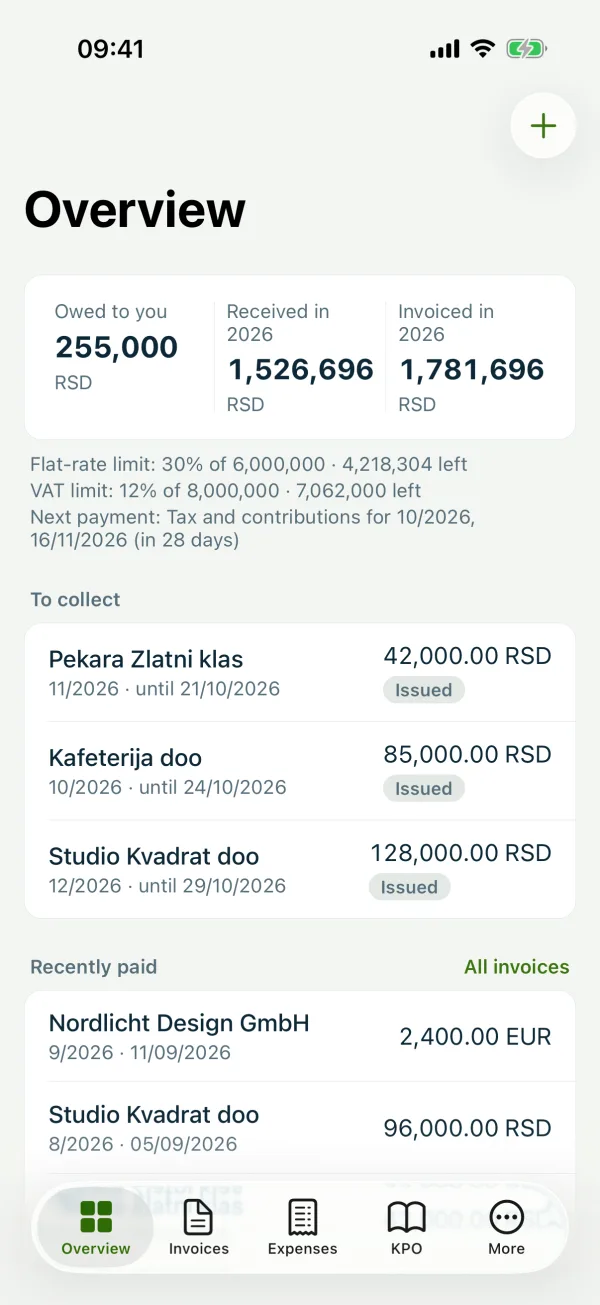
1Open the invoice
On “Overview”, in the “To collect” list, tap the invoice.
-
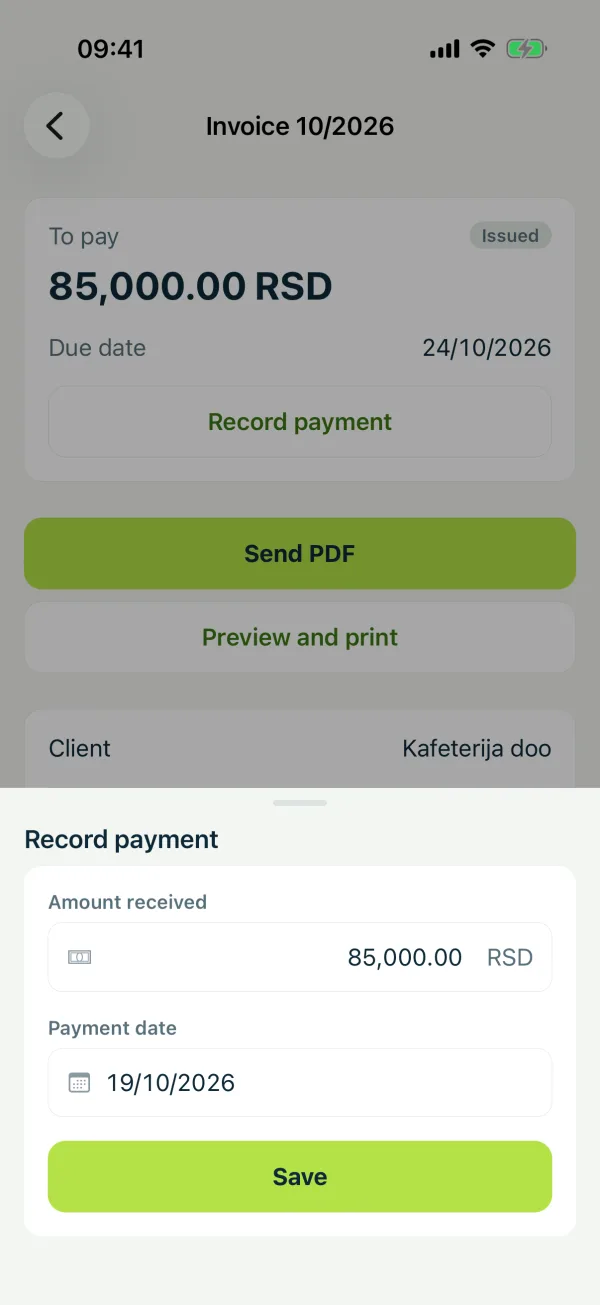
2Record the payment
Click “Record payment”, enter the “Amount received” and “Payment date” and save. A partial payment leaves the rest outstanding.
Related guides
Didn't find the answer? Write to podrska@tefter.online